
Weeks, not minutes
Developers and data scientists wait on tickets for a machine, a database or a notebook server — then set it up by hand, differently every time.
EnvCraft by brandcompete
Your data science teams want a notebook server today. Your IT has to keep clouds, costs and access under control. EnvCraft gives both sides what they need: self-service environments with your company's rules built in.
Runs in your cloud account. Plain Terraform and Ansible, credentials encrypted at rest, every action in an audit trail.
from request to a running, configured machine — instead of a ticket and several weeks
software stacks ready to use, every licence listed in the product
unmanaged cloud accounts: every request is checked before it reaches a provider
fine-grained rights behind seven built-in roles, plus your own
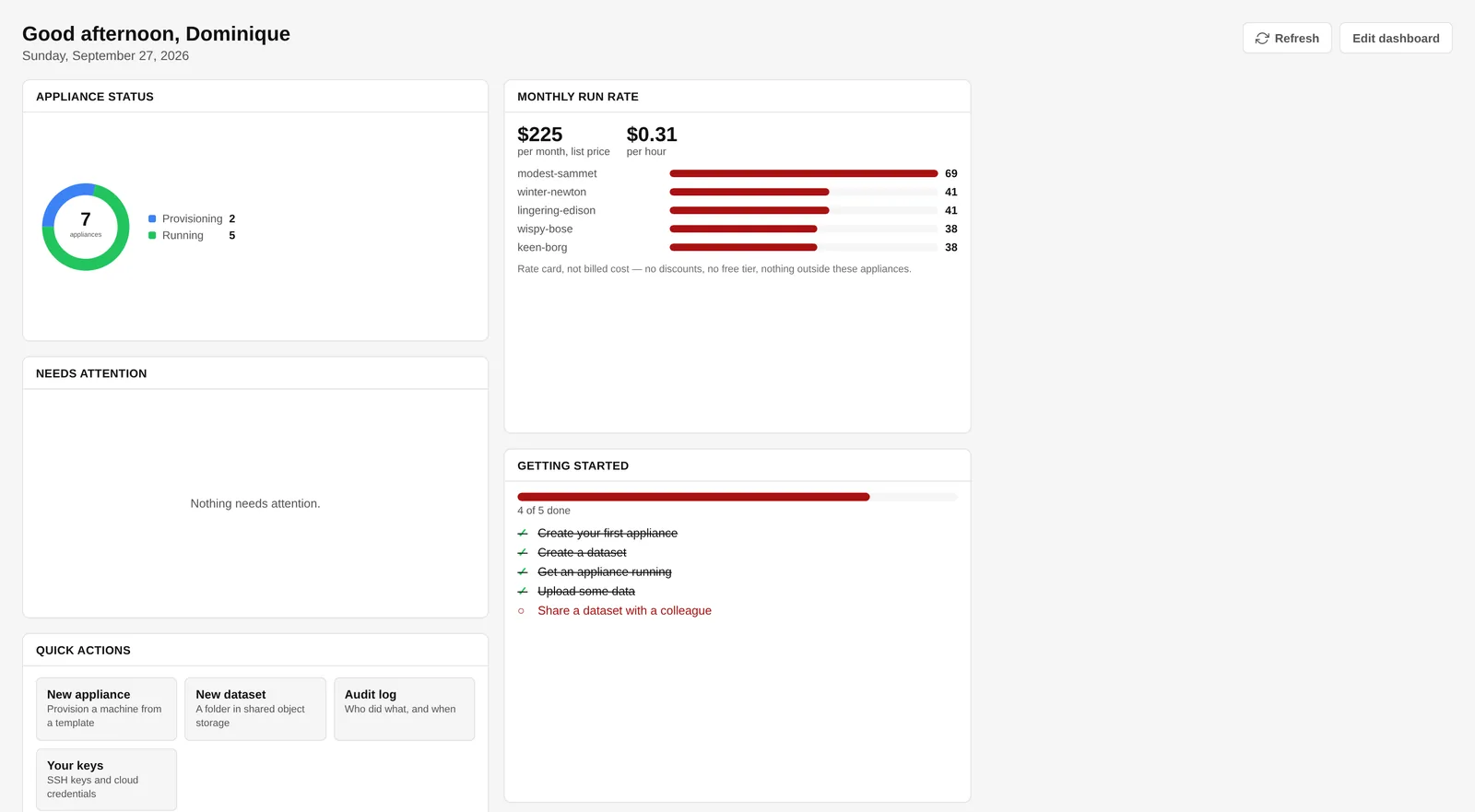
The challenge
Today, one side always loses: speed or control. Both losses are expensive, and only one of them shows up on an invoice.
Developers and data scientists wait on tickets for a machine, a database or a notebook server — then set it up by hand, differently every time.
Teams that cannot wait open their own cloud accounts: unknown machines, unknown data, outside every policy and with no audit trail.
Nobody sees what an environment costs until the invoice arrives — and forgotten machines keep running in the meantime.
The solution
Pick a cloud, a software stack and a size. EnvCraft checks the request against your policies, builds the machine, installs the software, mounts the data — and records every step.
A cloud machine plus the software configured on it, on AWS, Azure, Google Cloud or Hetzner. Start, stop, monitor and destroy it from one workbench.
Work together at Read, Write or Admin. Every appliance, dataset and data source belongs to a project, and so does its cost.
Notebooks, databases, BI, workflow tools, wikis and more — each built and tested, each licence listed in the Knowledgebase.
A shell on your appliance from the workbench, signed with a five-minute certificate. No keys to hand out or revoke.
Managed object storage mounted straight into every appliance, on every cloud. Shared in one click, read or read/write.
PostgreSQL, Redshift, SQL Server, Oracle, Databricks and open-data APIs — a saved query, on a schedule, into a dataset.
Register a GitHub repository in a project and get a web server that is already serving it. The token never reaches the machine.
Fleet run rate, itemised cost per appliance and a spend analysis by vendor, person, stack or project. Budgets that warn — or refuse.
On at seven, off at seven, weekdays only. EnvCraft starts and stops a machine by itself, in the owner’s time zone.
Allowed clouds, credentials and instance types, size caps and quotas, naming rules and required SSH keys — checked before anything reaches a cloud.
Entra ID and Google SSO, seven built-in roles plus your own, over ninety fine-grained rights, and a full audit trail you can export.
An assistant that looks things up, proposes an environment and builds it once you confirm — with your rights, never more. The same tools over MCP.
How it works
The person asking does not need infrastructure skills. The company's rules are applied whether they know about them or not.
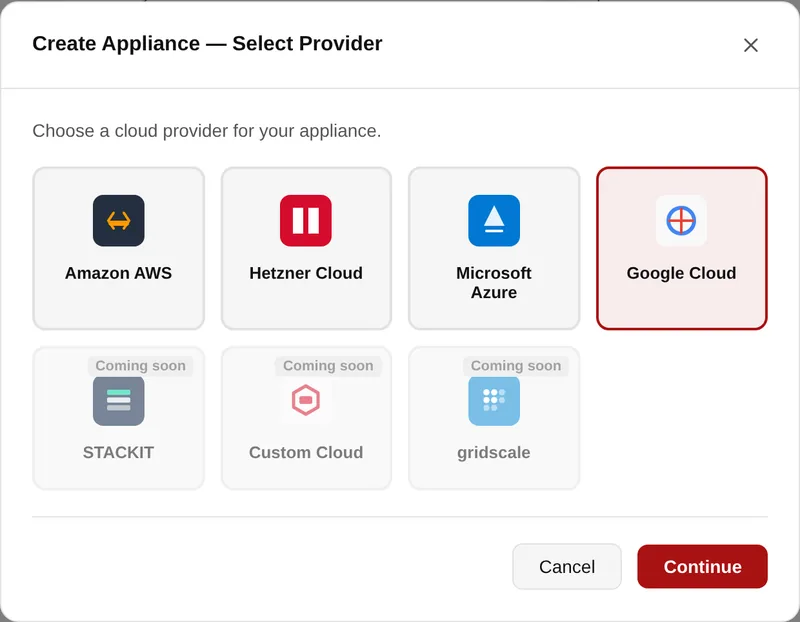
AWS, Azure, Google Cloud and Hetzner today. Only the clouds your company allows are offered.
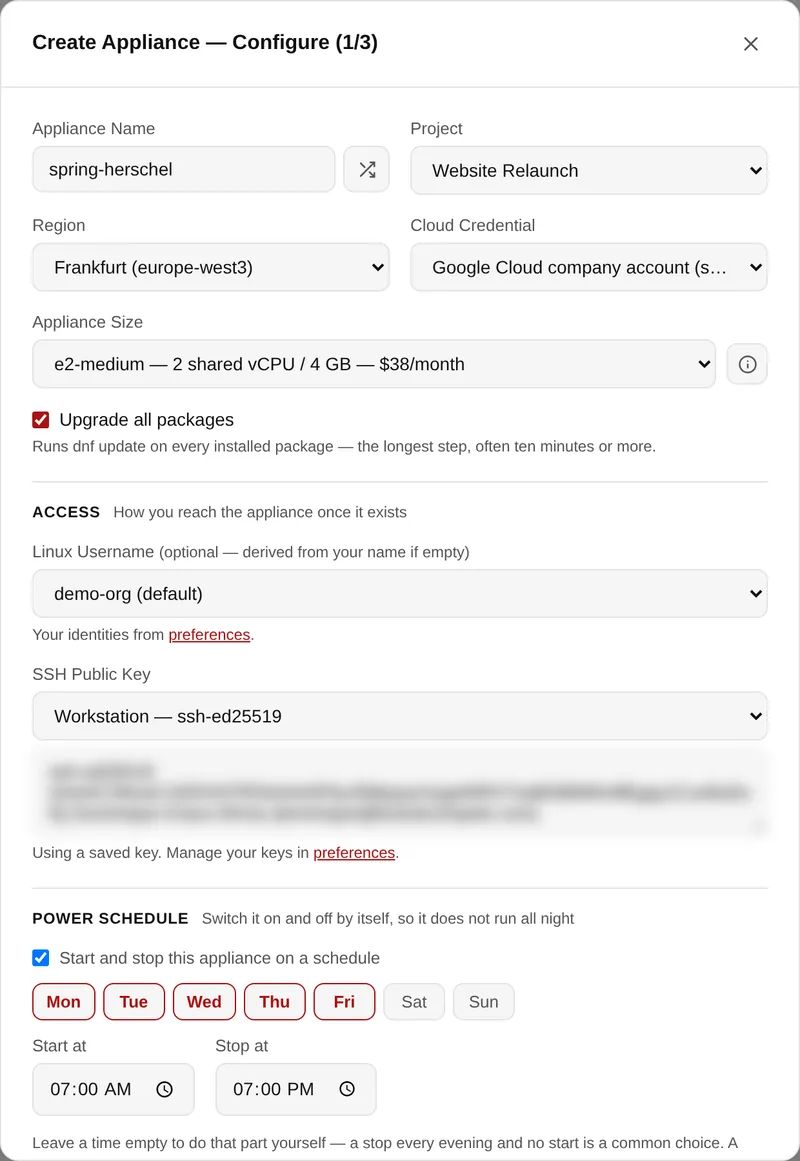
Pick the project it belongs to. Sizes come live from the vendor — what the region actually sells — with a monthly price. Add an SSH key and, if you like, a power schedule.
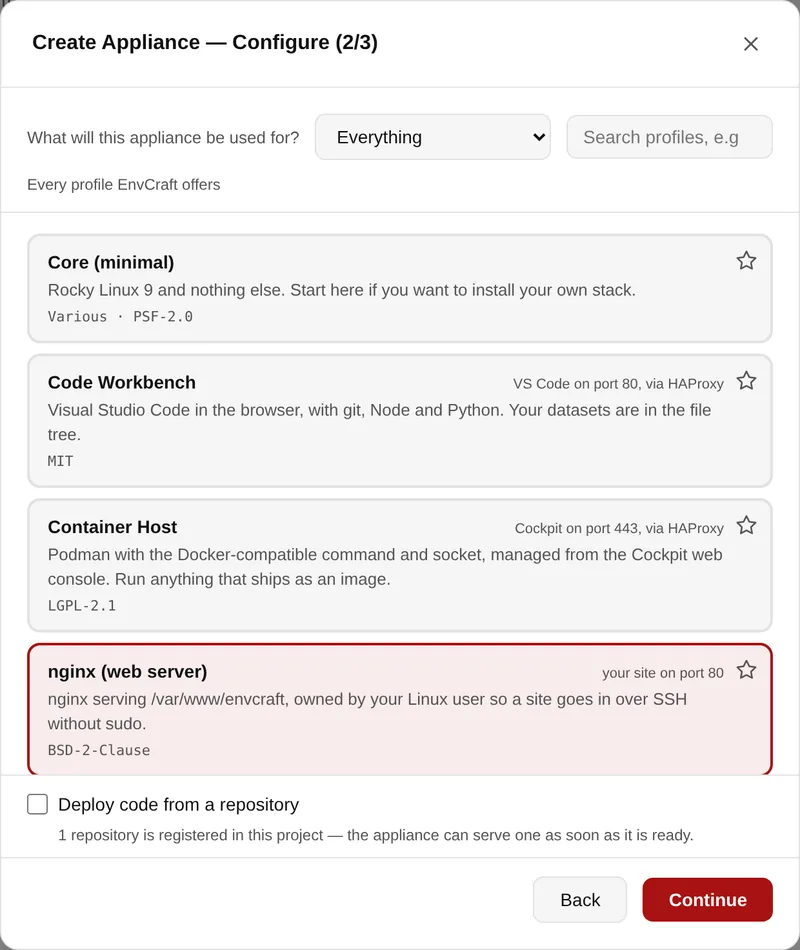
One of 38 stacks — grouped by what you do, searchable, each with its licences. For a web server, deploy a repository straight onto it.
Terraform builds it, Ansible configures it, and the progress streams live.
Between step 4 and the build, EnvCraft checks the request against the allowed providers, the size quotas and the monthly budget. A request that breaks a rule is refused with the limit named — before anything is created, and before anything is billed.
The product
Screens from the running product. Click any of them to see it full size.
Machine, cloud, access and timeline in one place — and the live state read back from the provider rather than from a database that hopes it is still true.
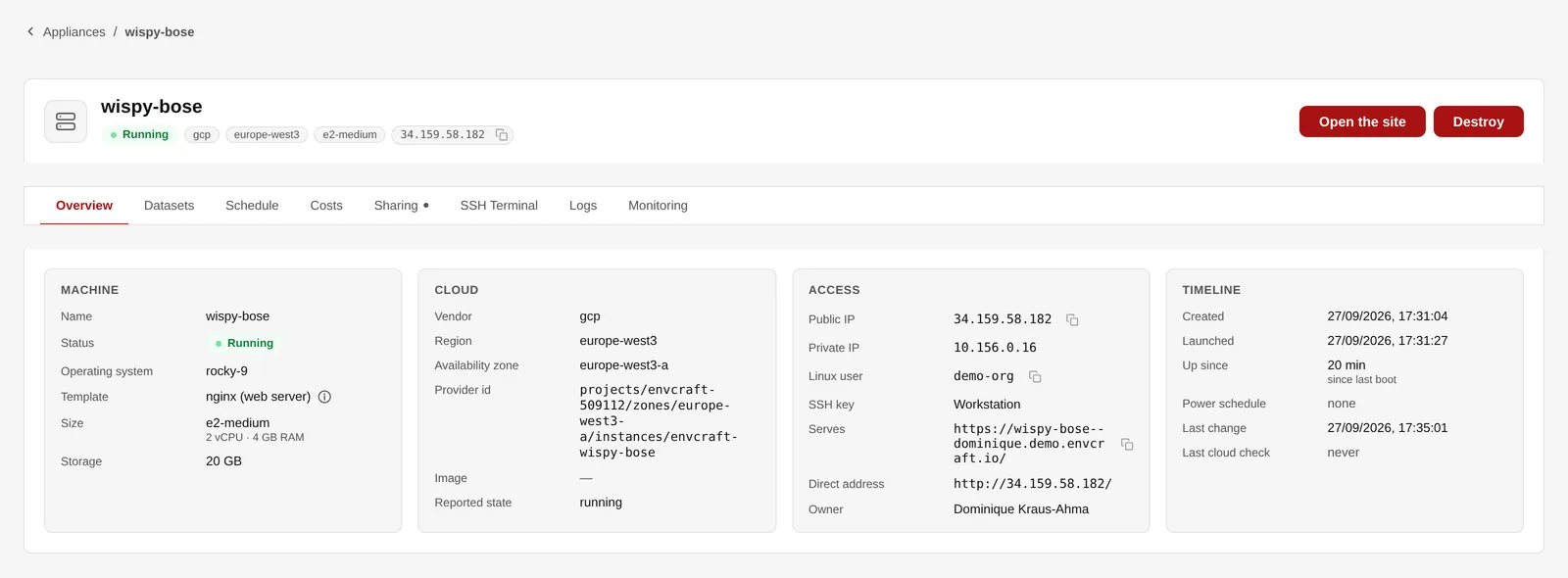
The workbench of a web server on Google Cloud.
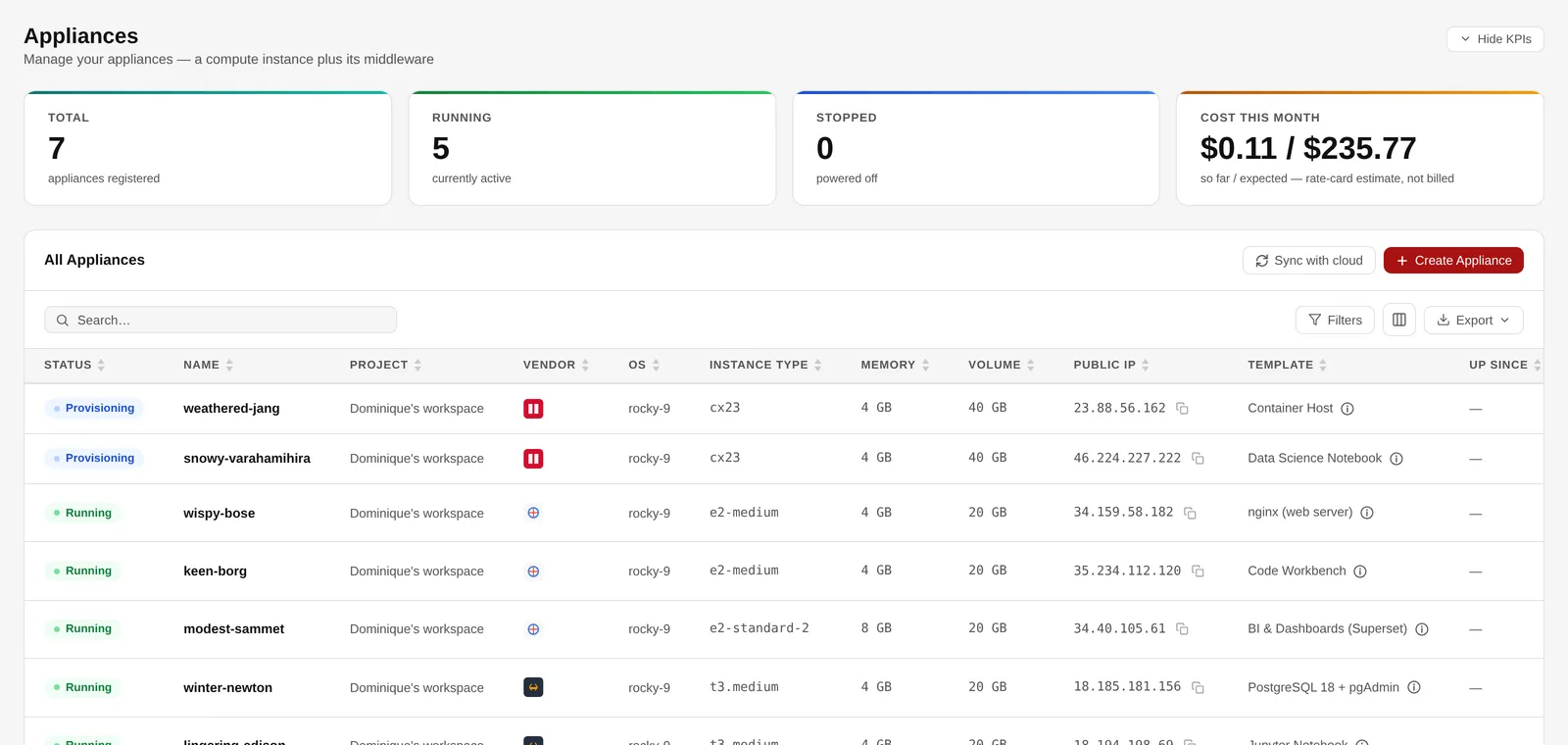
Every appliance with its project, vendor, size and template.
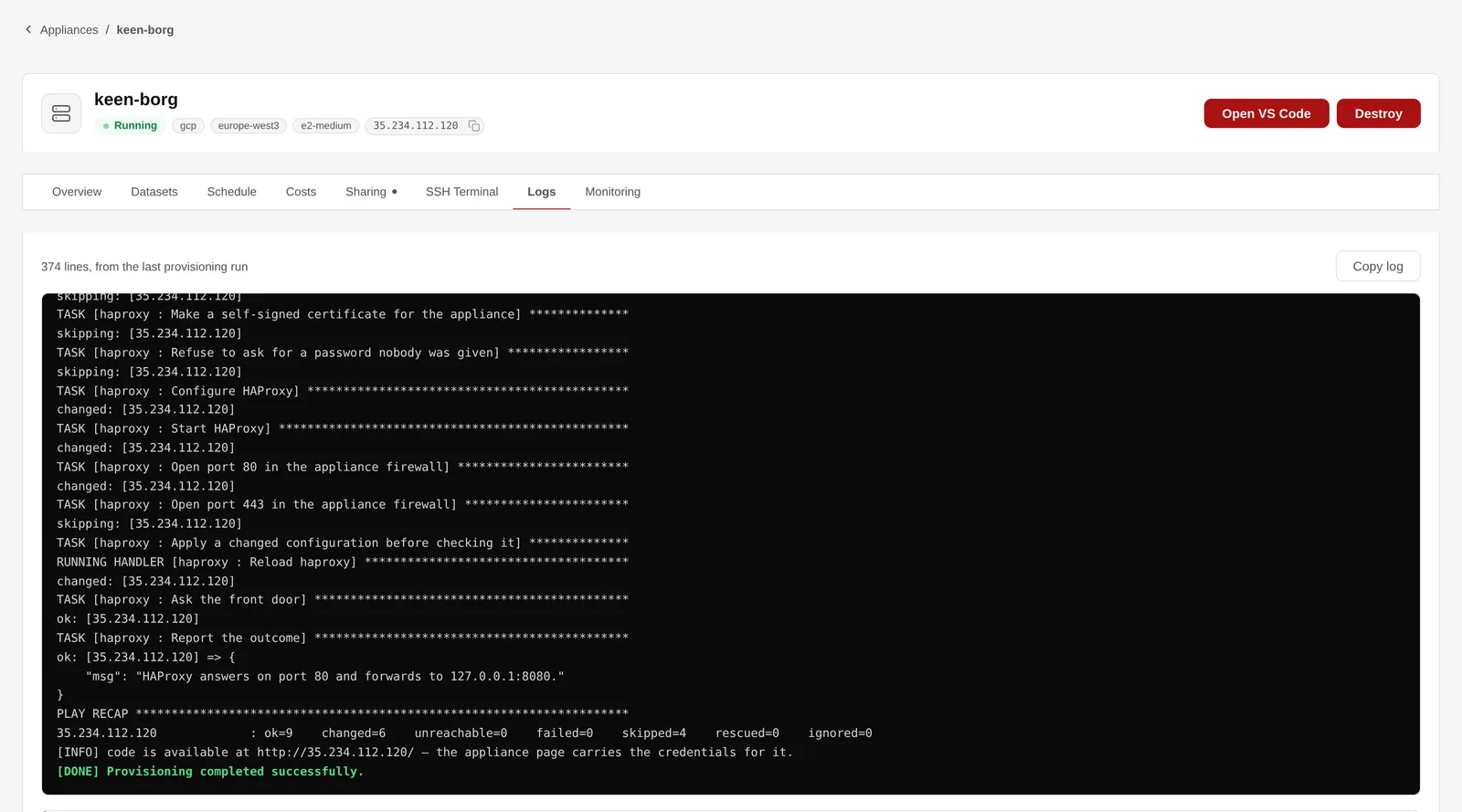
The provisioning log, step by step.
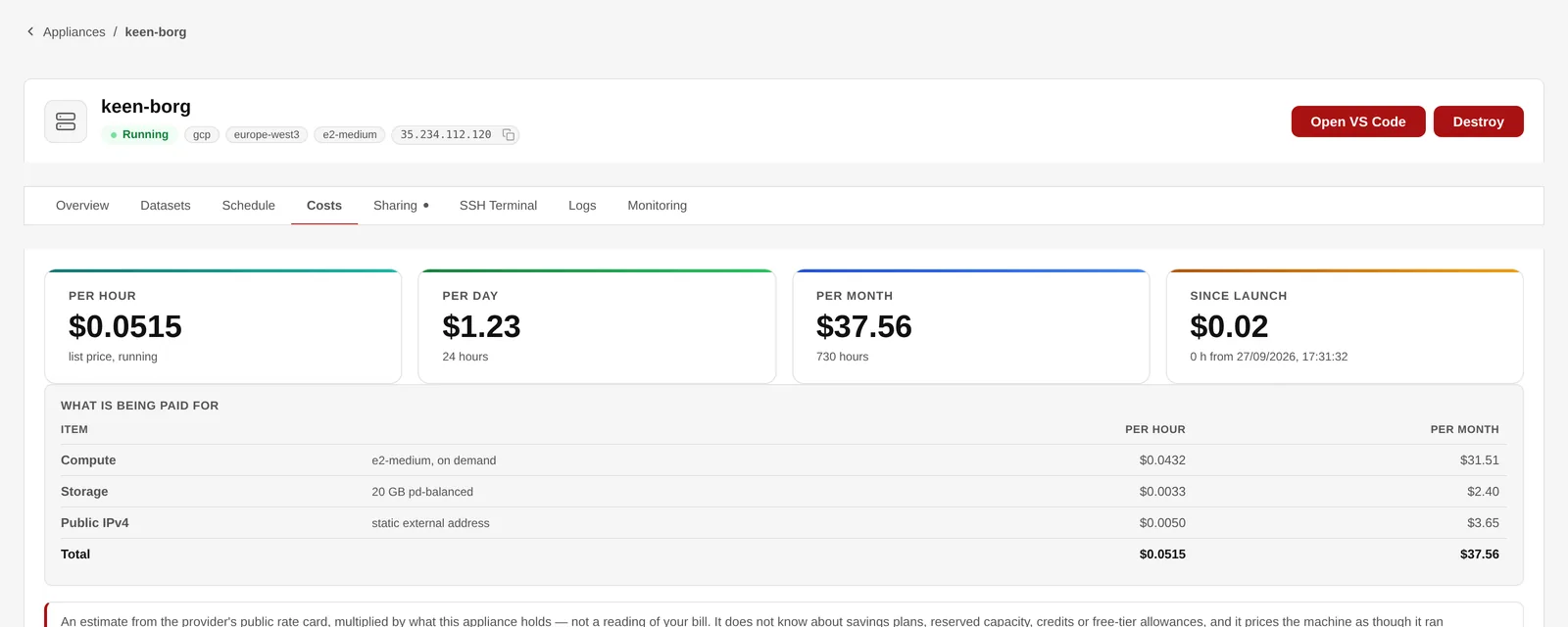
What this machine costs, line by line.
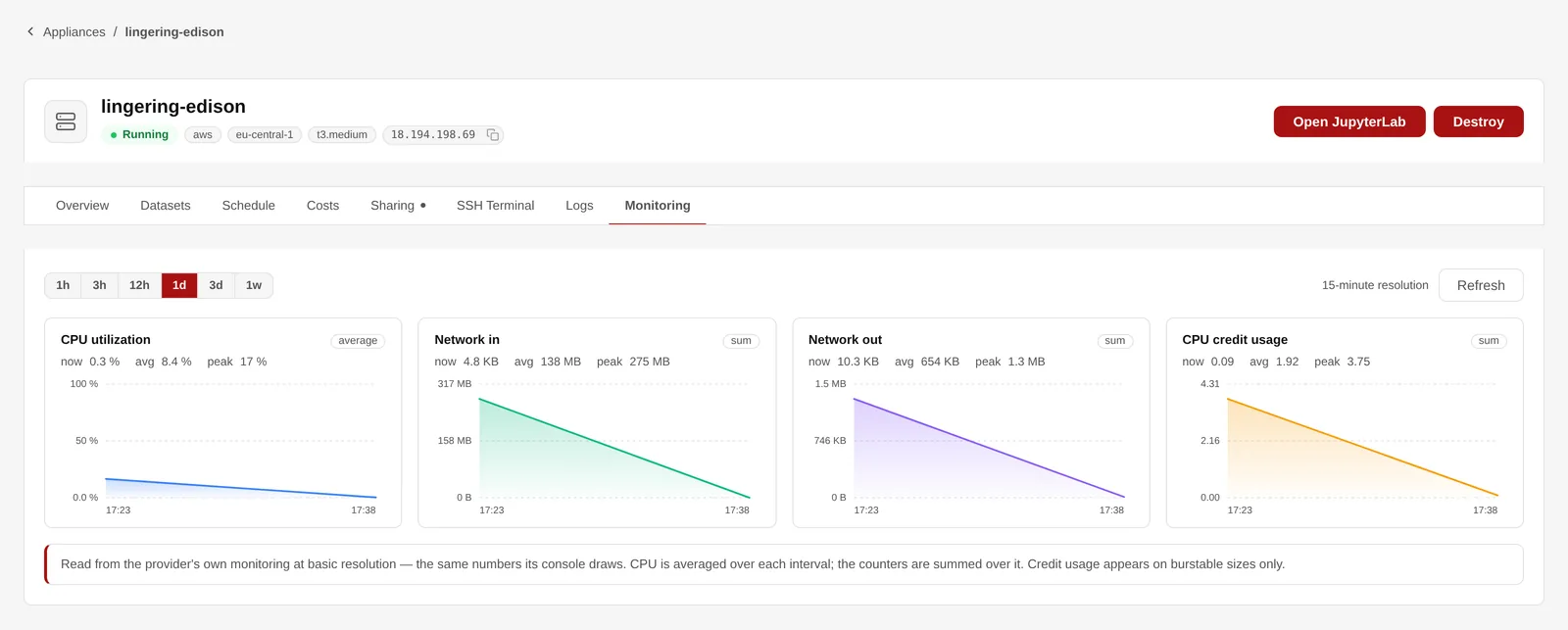
CPU, network and credit usage, on AWS.
Open a shell on your appliance straight from the workbench. EnvCraft signs every session with a certificate that is valid for five minutes and names the person, so there is no key to copy around and nothing to revoke afterwards.
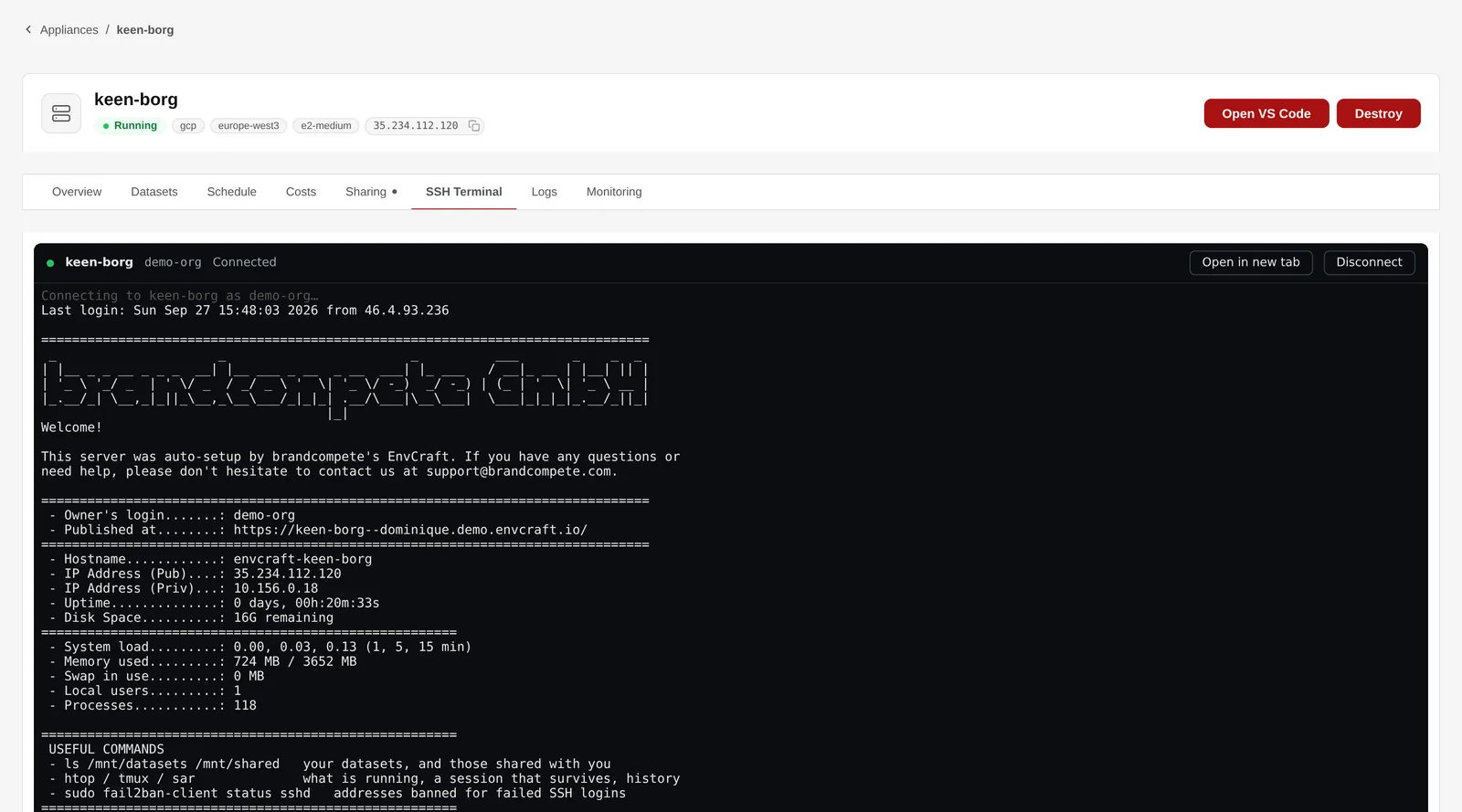
An SSH session in the browser, with the appliance’s welcome banner.
A development machine does not need to run all night. Give it a schedule — which weekdays, when to start, when to stop — and EnvCraft starts and stops it by itself, in the owner’s own time zone.
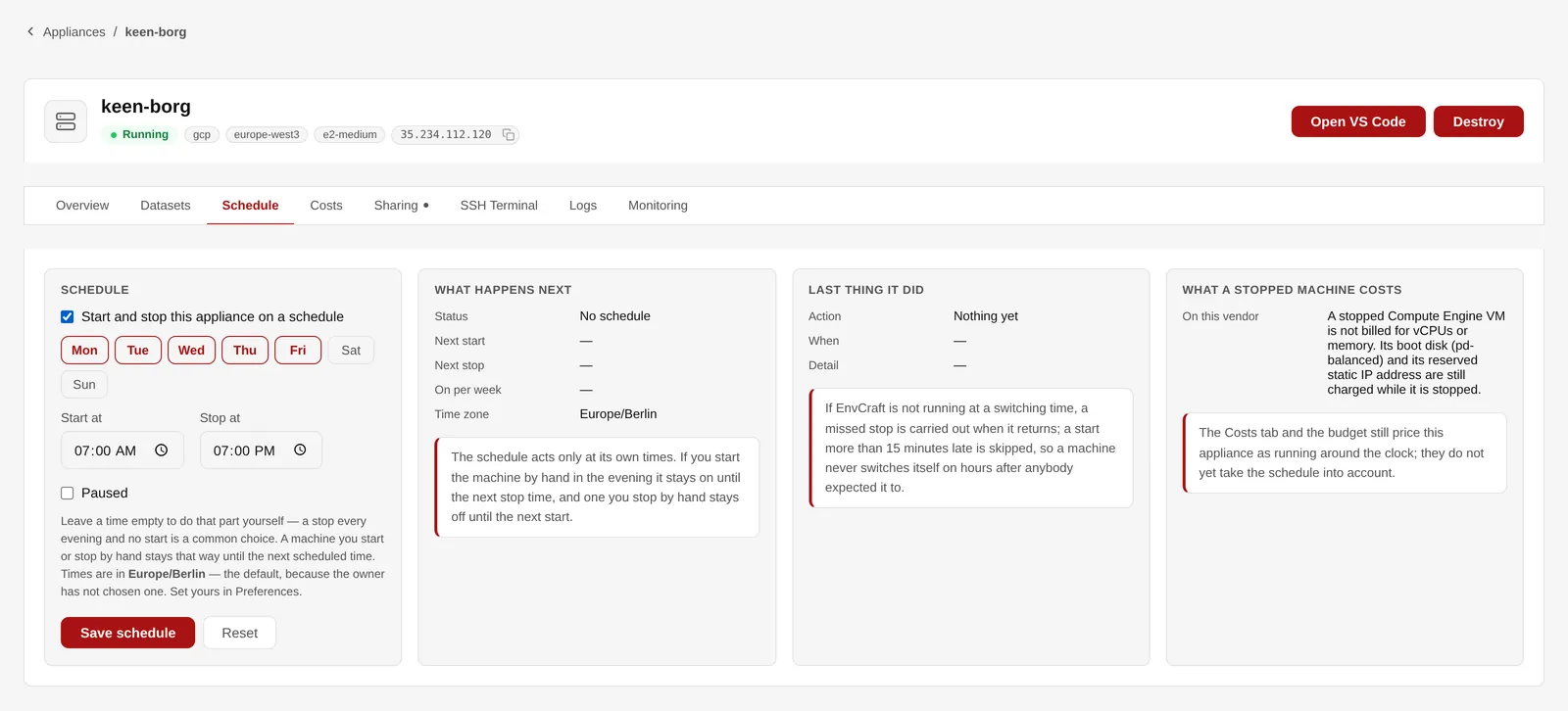
Power schedules — on at seven, off at seven.
Everyone starts in a personal workspace. For shared work, create a project and add colleagues at Read, Write or Admin — every appliance, dataset, data source and repository then belongs to it, and the project switcher in the header narrows every list to it.
name--project.your-zone, with a real certificate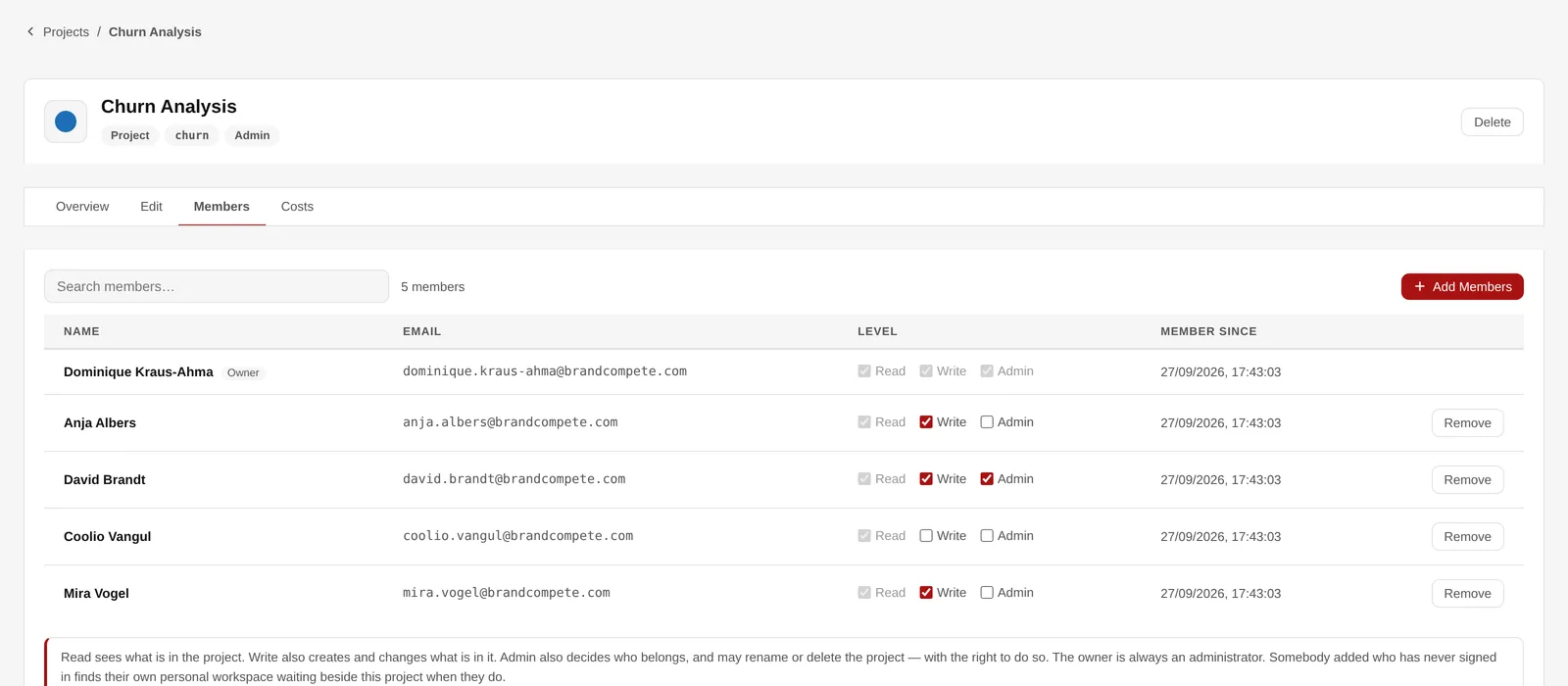
A project’s members and their level.
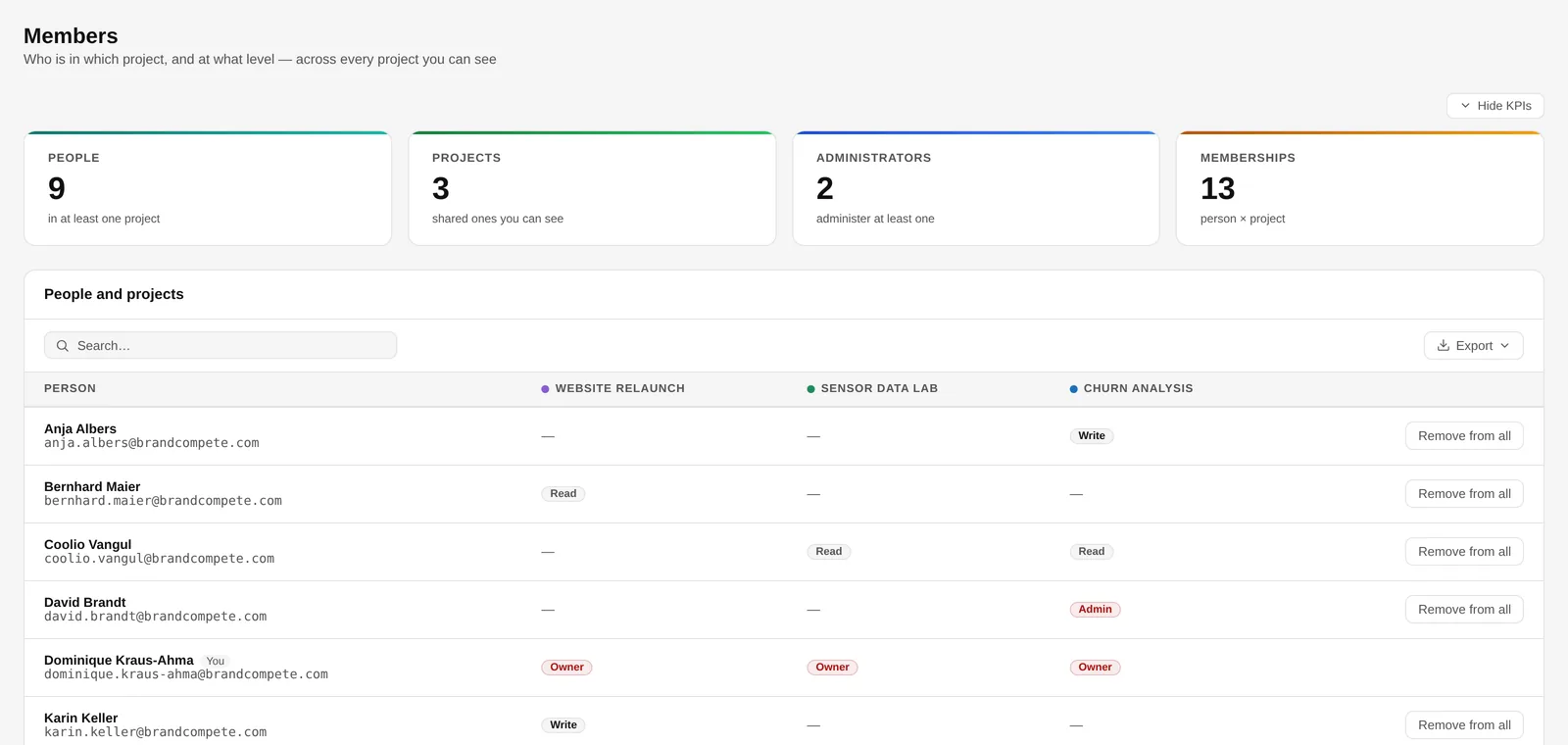
Who is where, across every project.
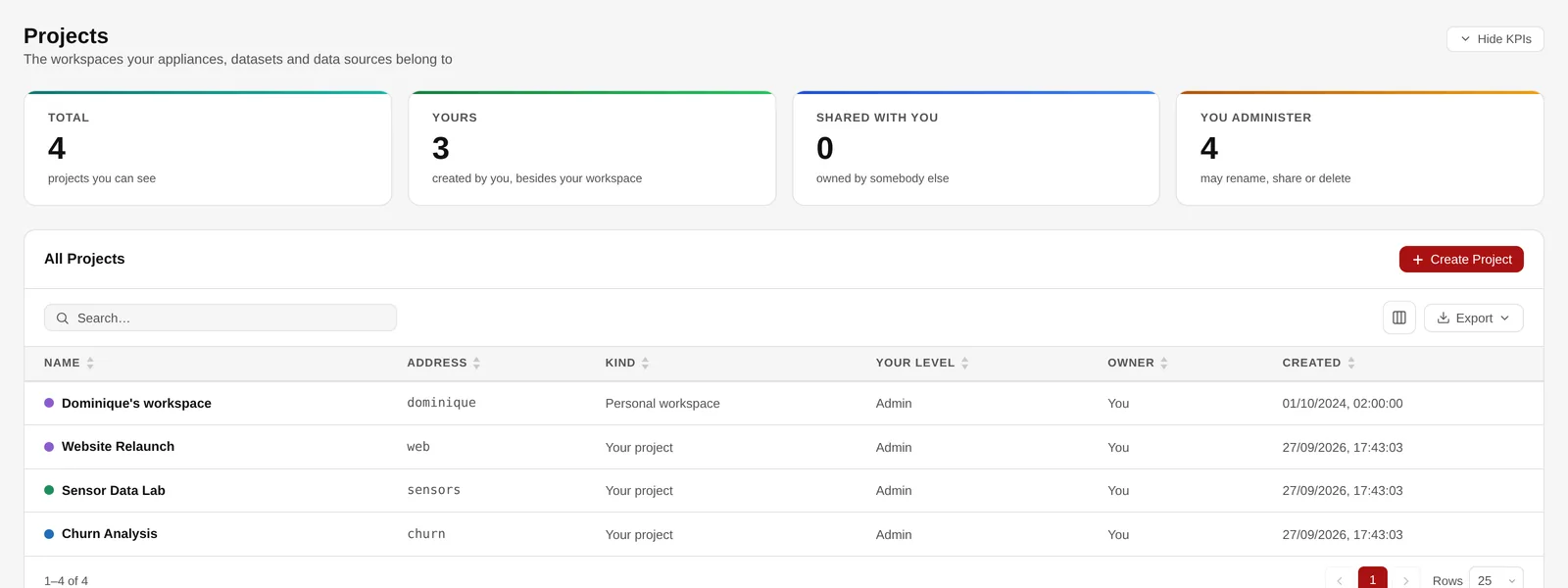
Your workspace and the projects you share.
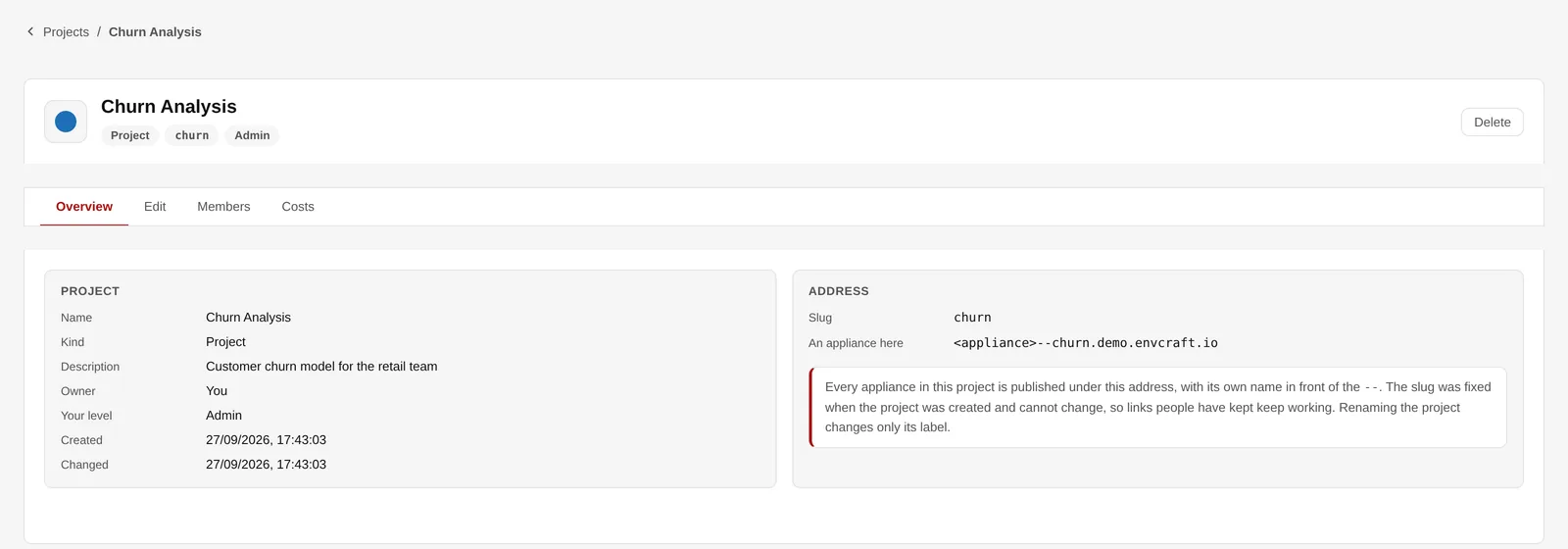
The project and the address its appliances are published under.
Register a GitHub repository in a project, and anyone with write access can create a web server that is already serving it: pick the repository, branch and folder in the wizard, and the code is copied onto the machine as it is built.
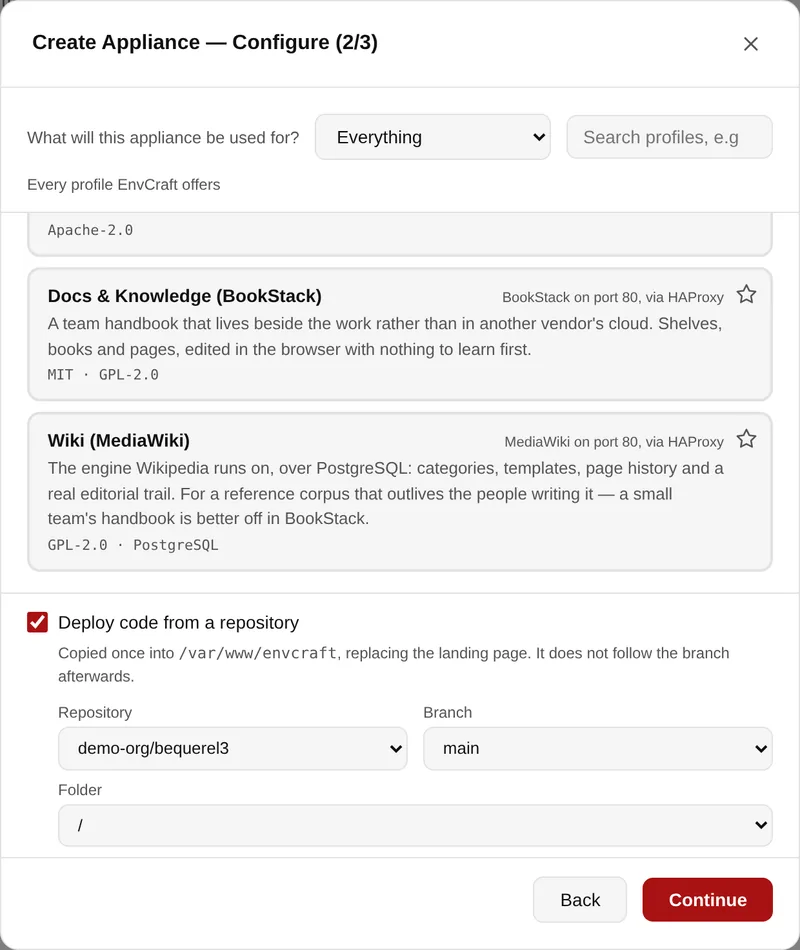
Choosing repository, branch and folder while creating the appliance.
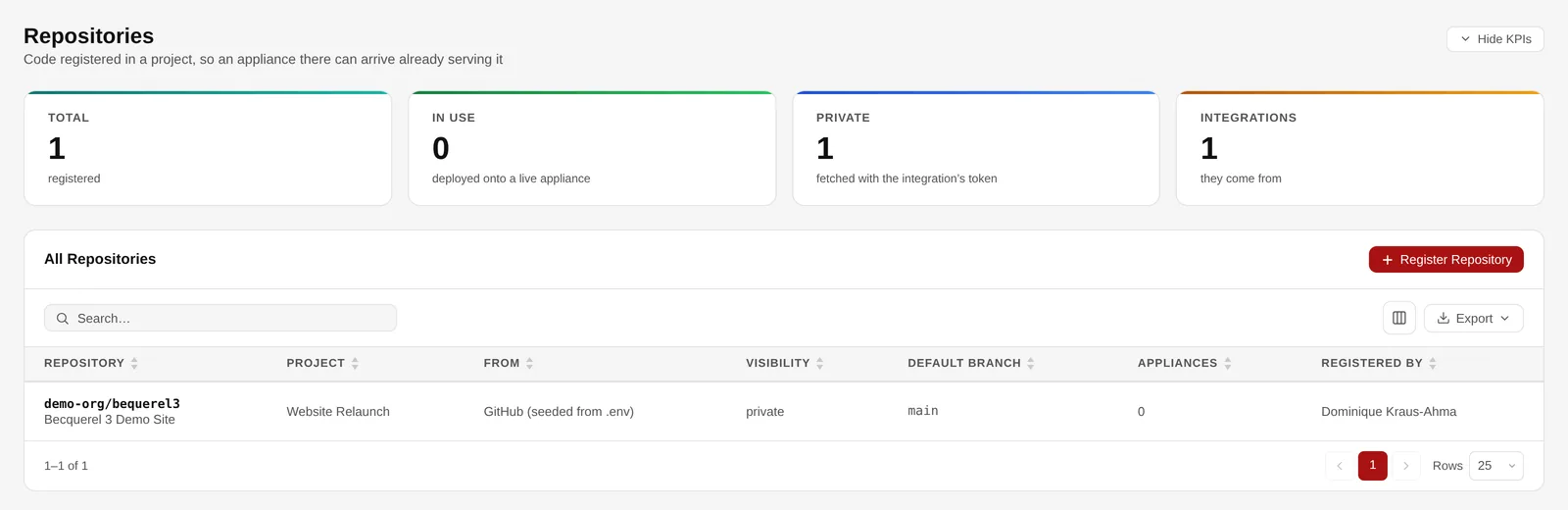
Repositories registered in your projects.
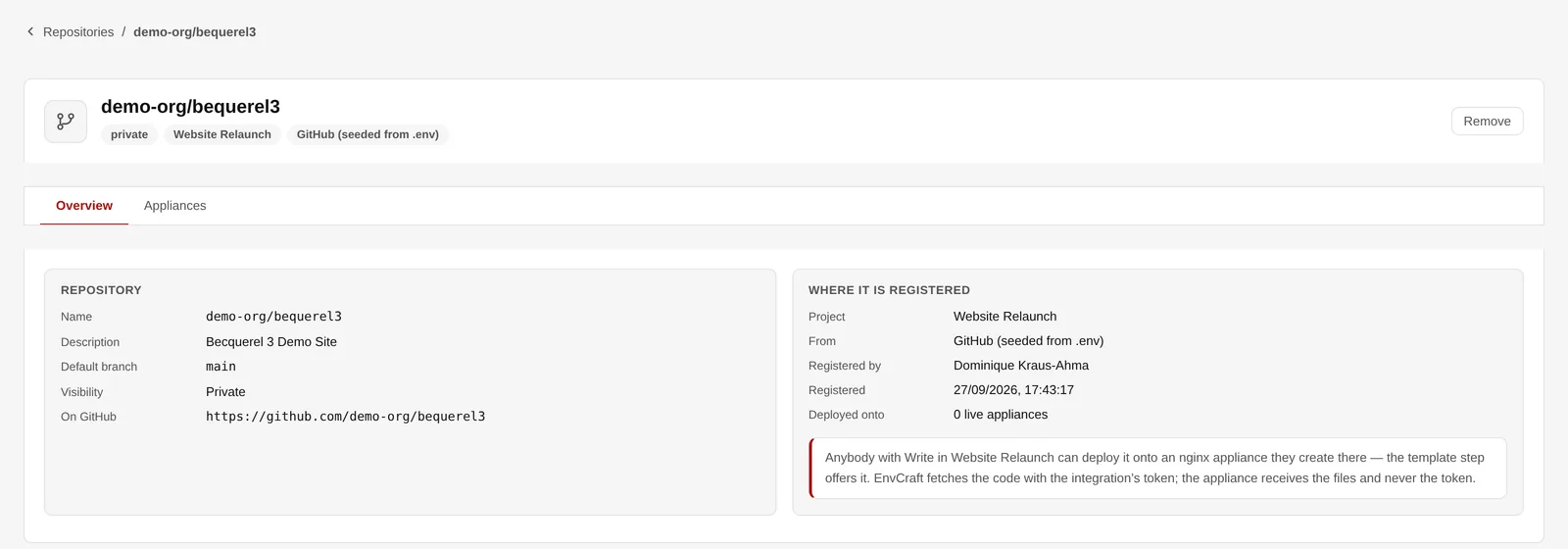
Where a repository is registered, and who may deploy it.
From a minimal Rocky Linux to notebooks, databases, BI, workflow tools and wikis: 38 stacks are ready to use, each built and tested on a real machine, and 31 of them publish a web interface. The Knowledgebase says what each one installs and under which licence.
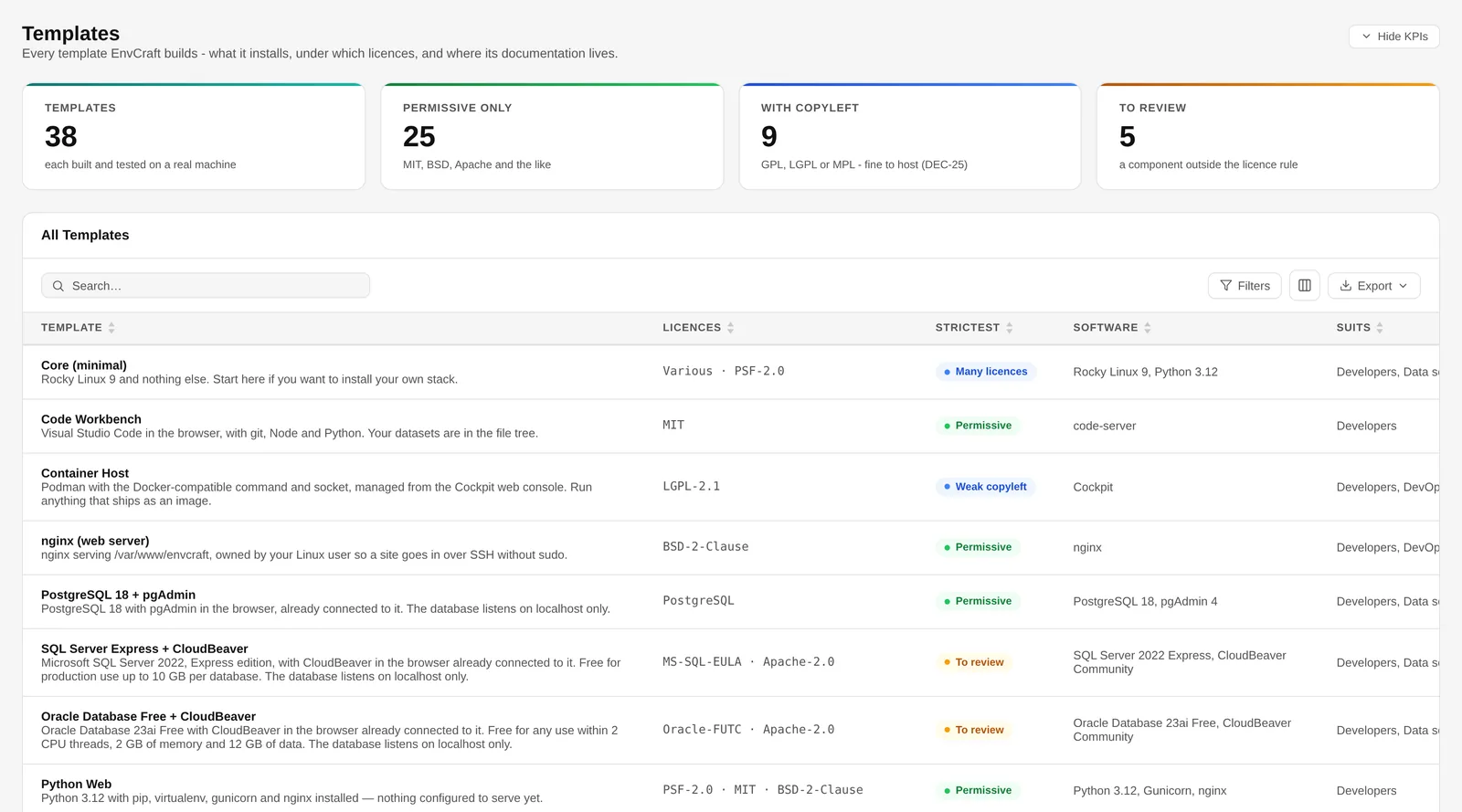
Every template with its licences and the strictest one.
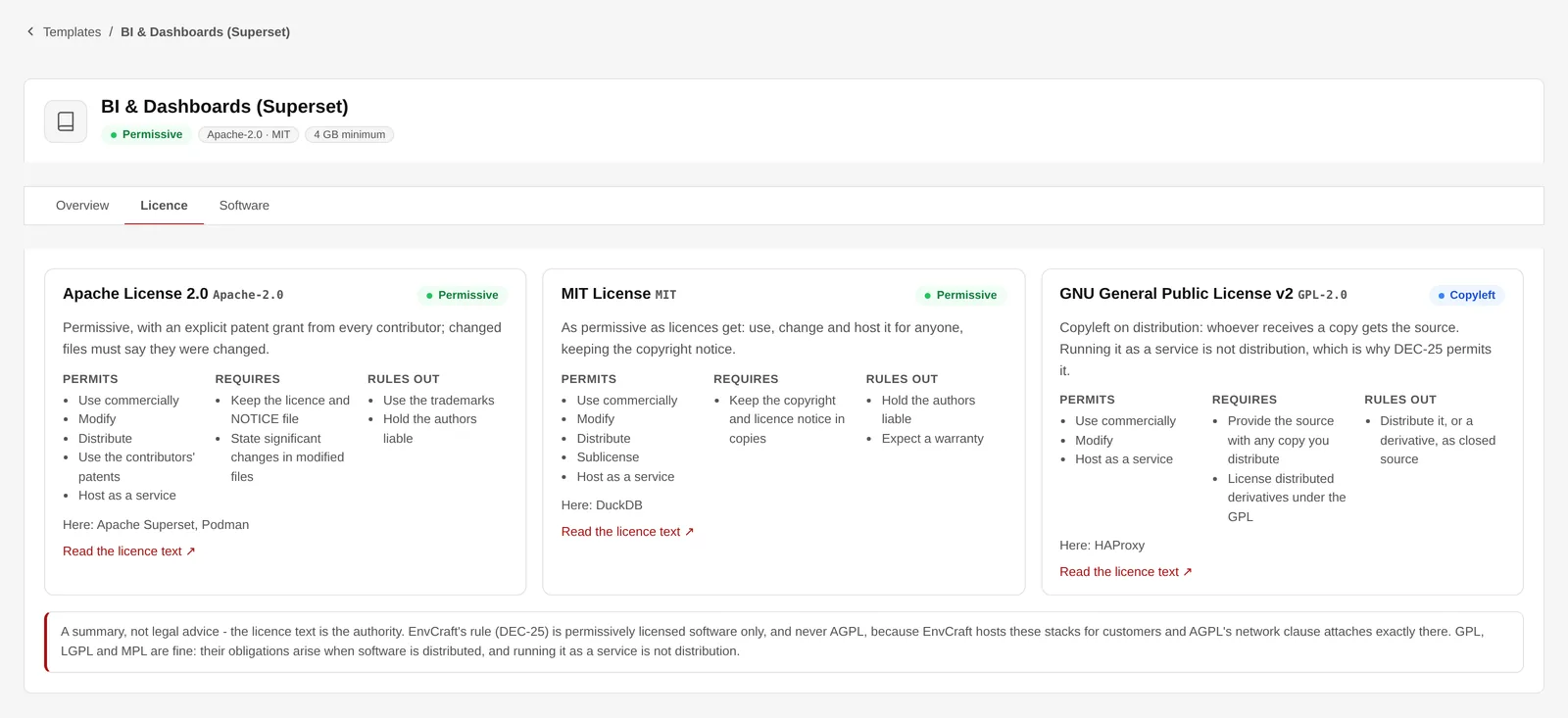
What each licence permits, requires and rules out.
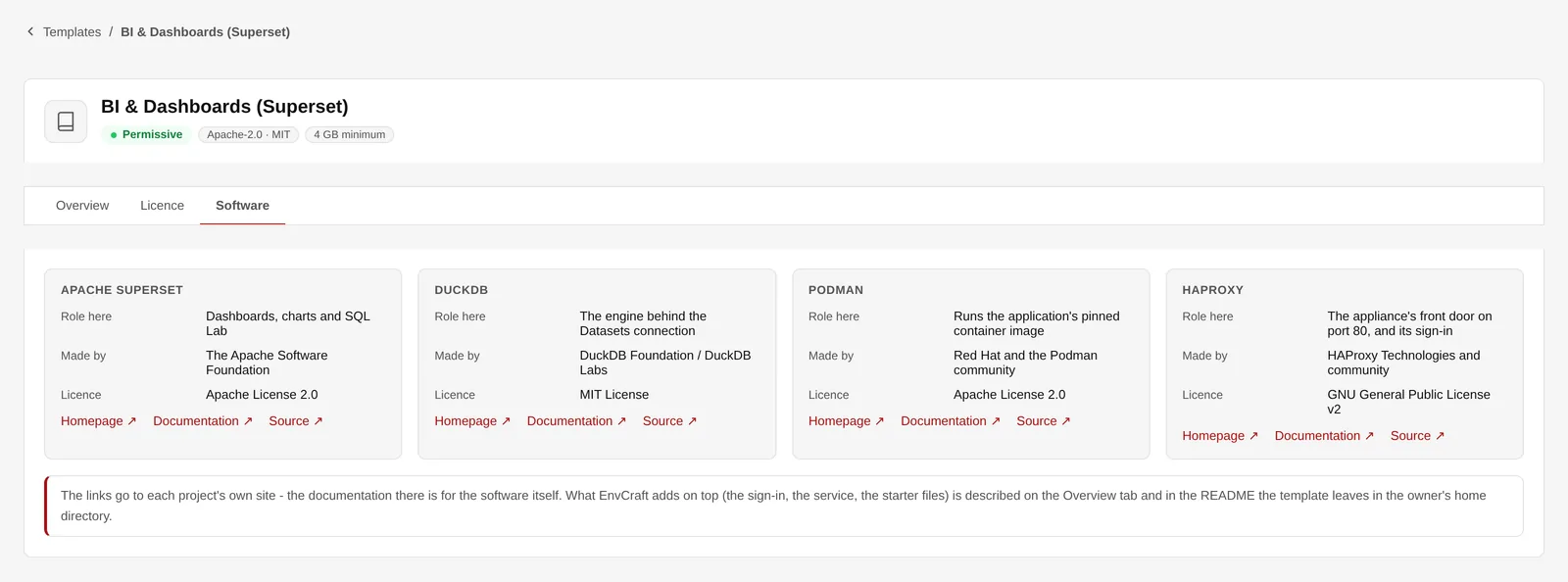
The software behind a template, with its makers and sources.
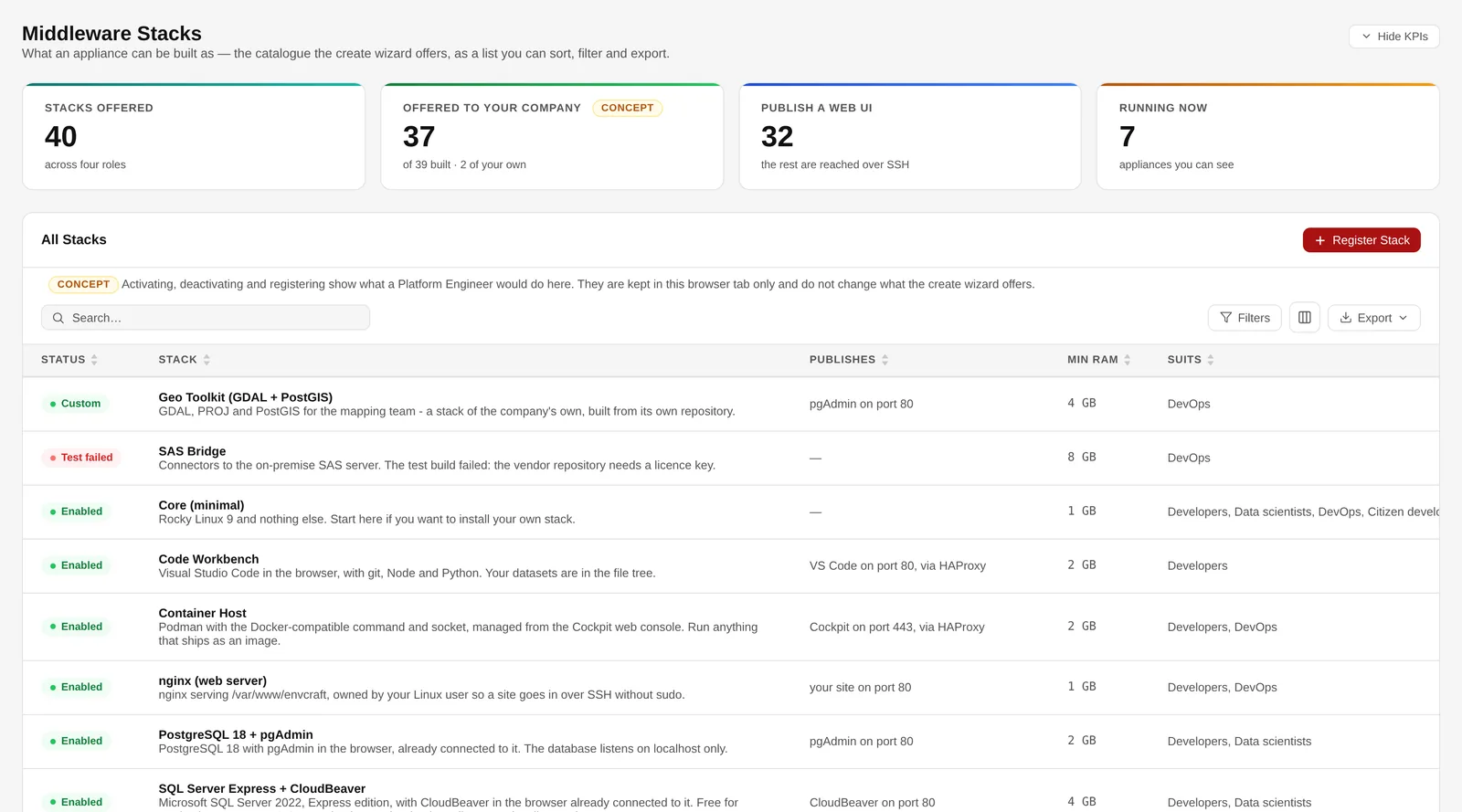
The catalogue as the wizard offers it.
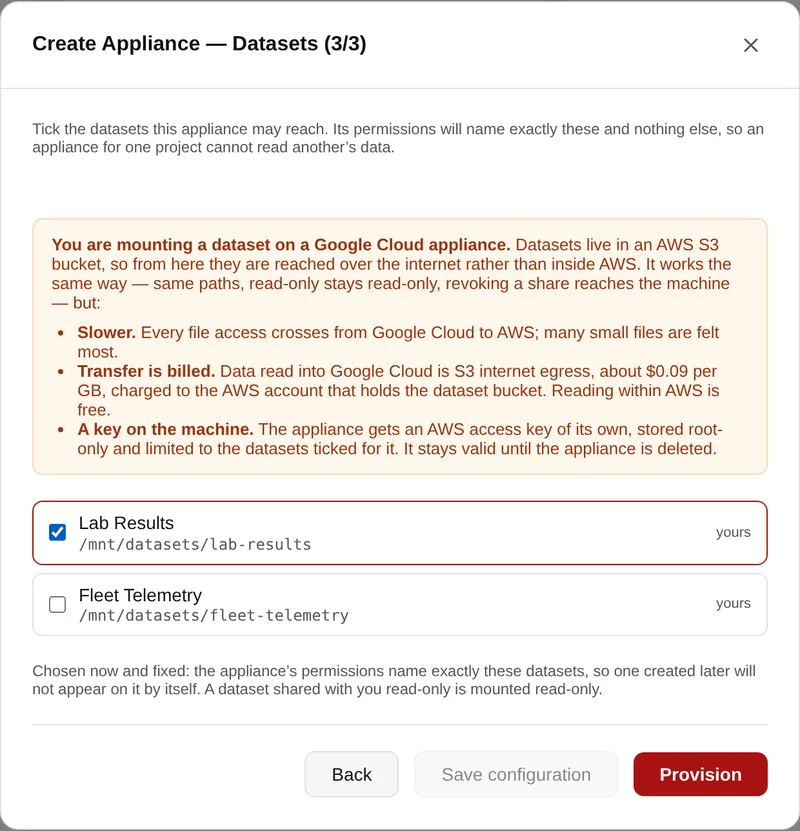
A dataset is a managed folder in object storage. It appears in the browser and at /mnt/datasets/<name> on the machine — the same files, two ways in, on every cloud.
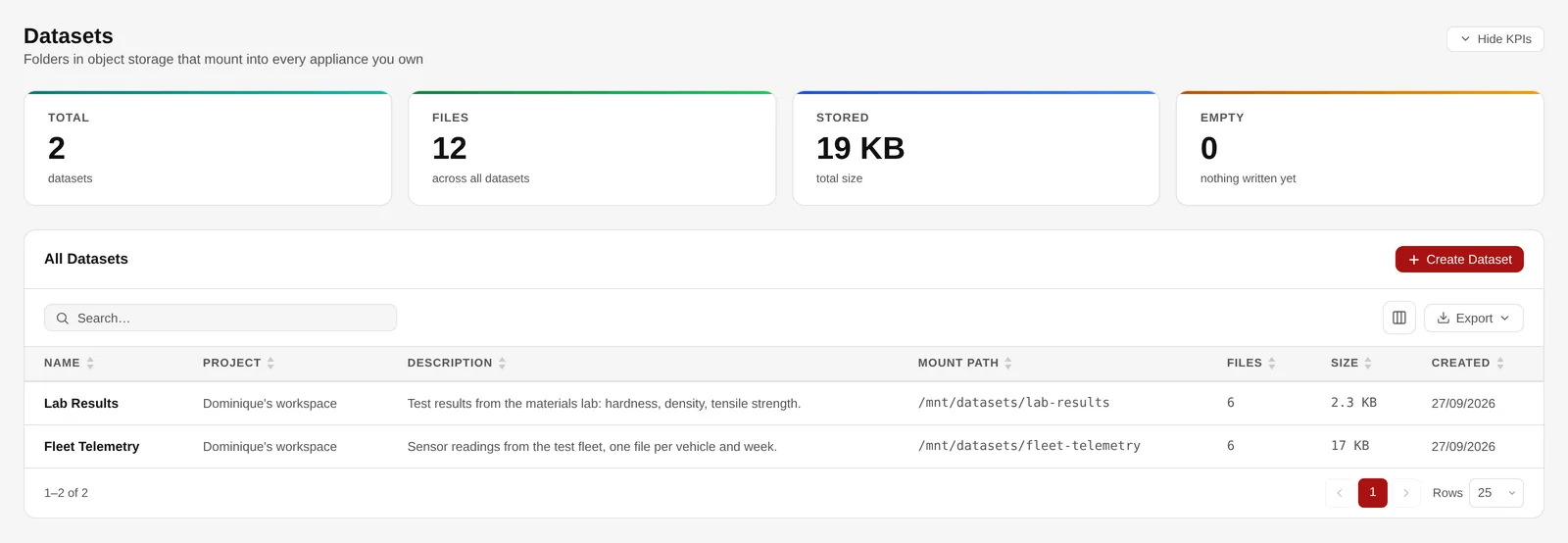
Datasets with their project, mount path and size.
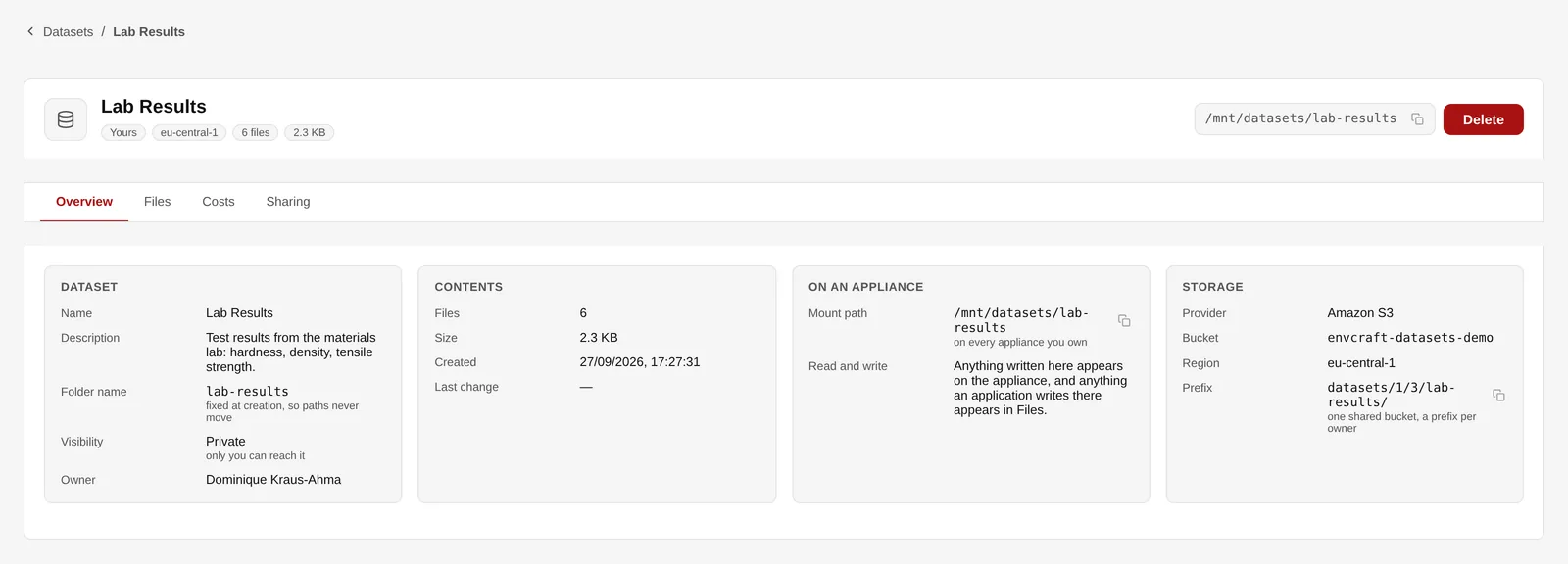
One dataset: contents, mount path and storage.
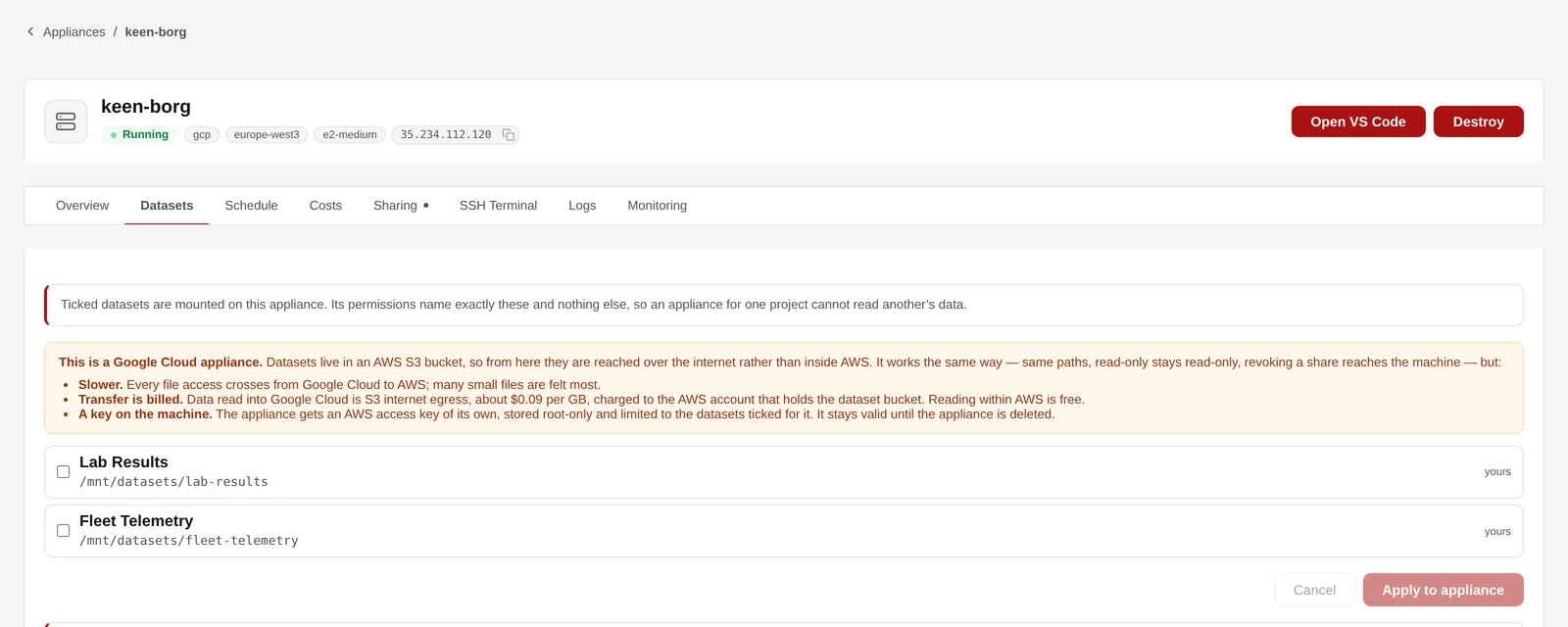
Choosing which datasets an appliance may reach.
Connect a database or an open-data API, save a query once, and let a schedule write fresh results into a dataset. PostgreSQL, Amazon Redshift, SQL Server, Oracle and Databricks work today, and ten open-data services from the World Bank to the ECB.
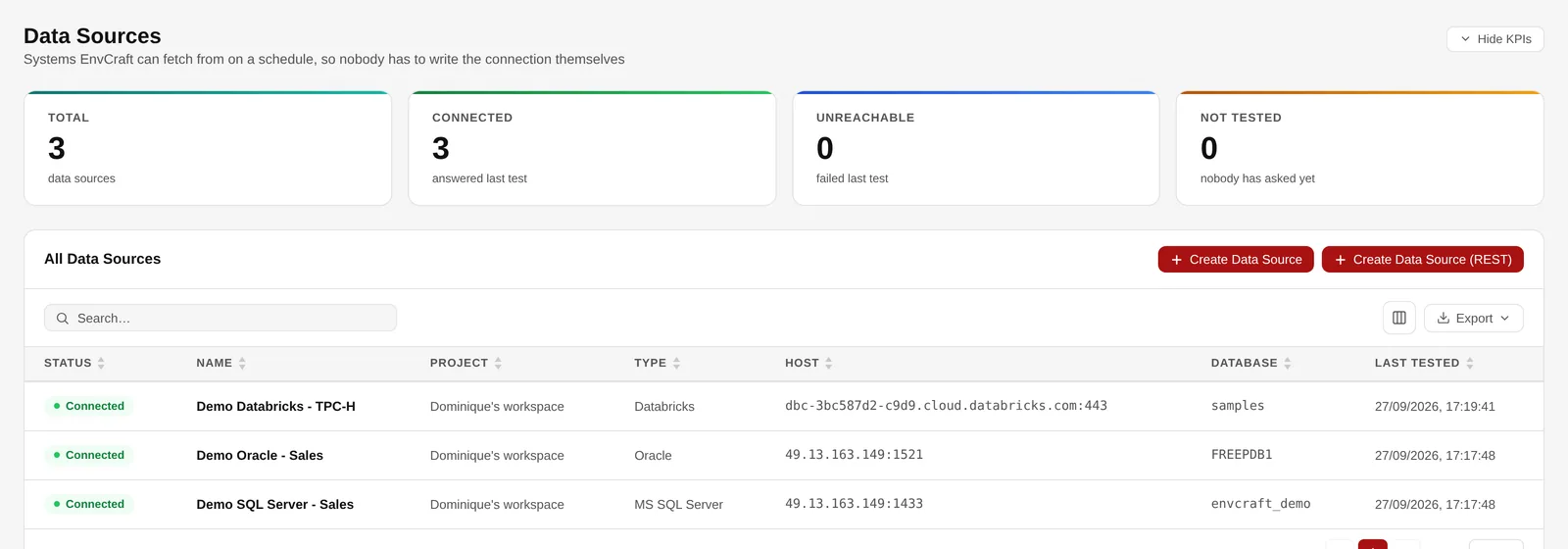
Databricks, Oracle and SQL Server sources, all connected.
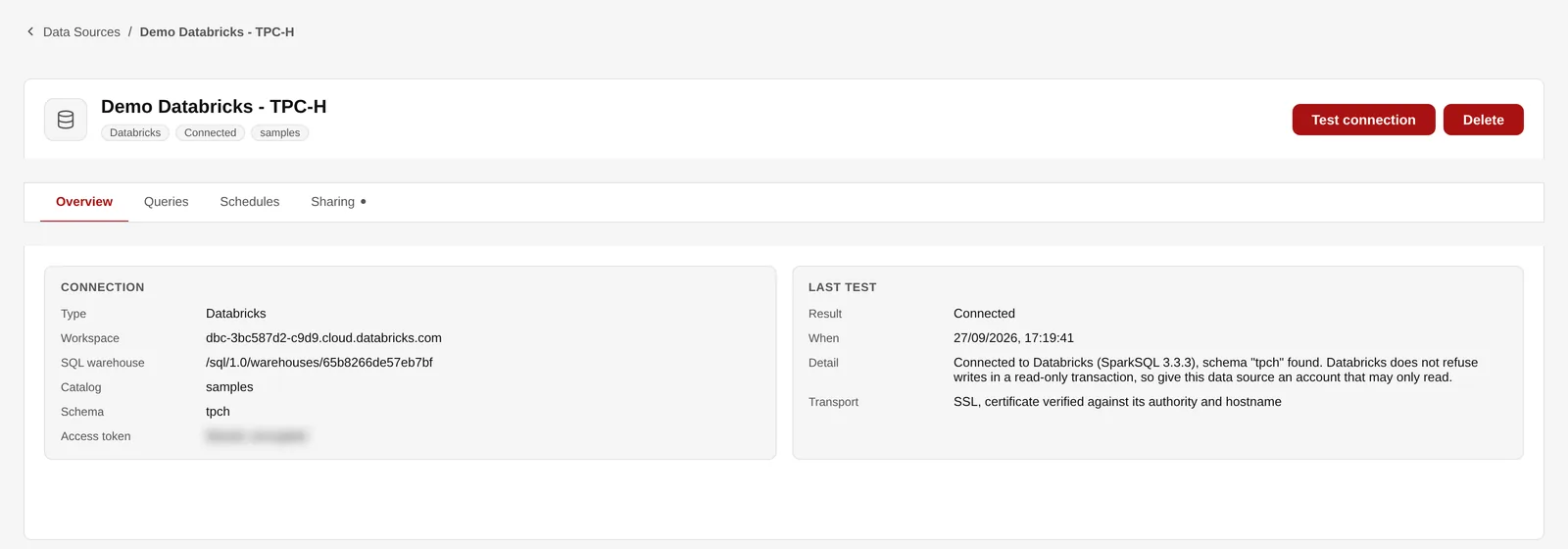
A Databricks warehouse as a data source.
One screen per cloud: whether your company uses it, the credentials it builds with, and which instance types people may choose. AWS, Microsoft Azure, Google Cloud and Hetzner are built; the instance types come live from the vendor, so a size it launches tomorrow appears by itself.
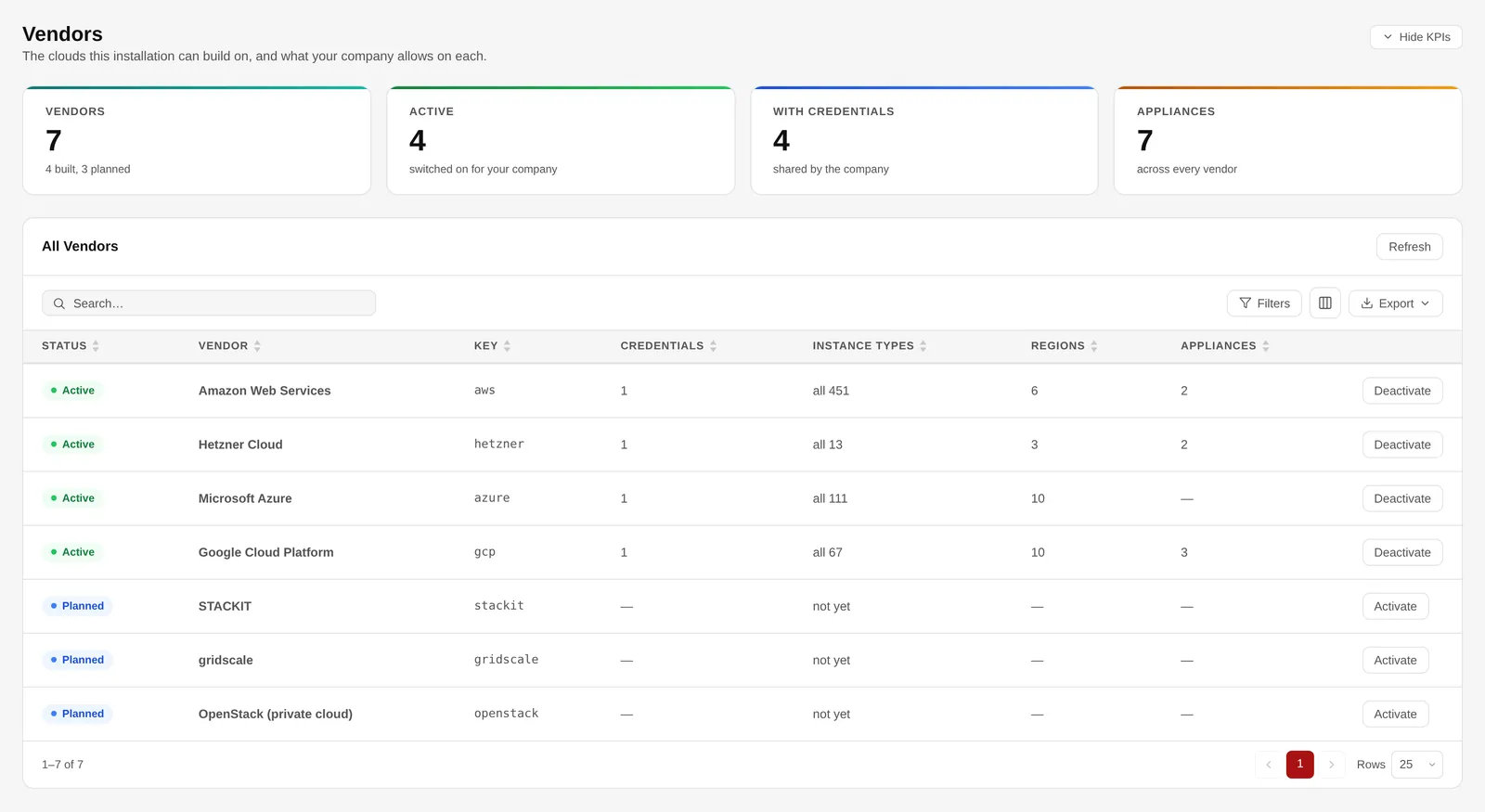
Four clouds built, three planned.
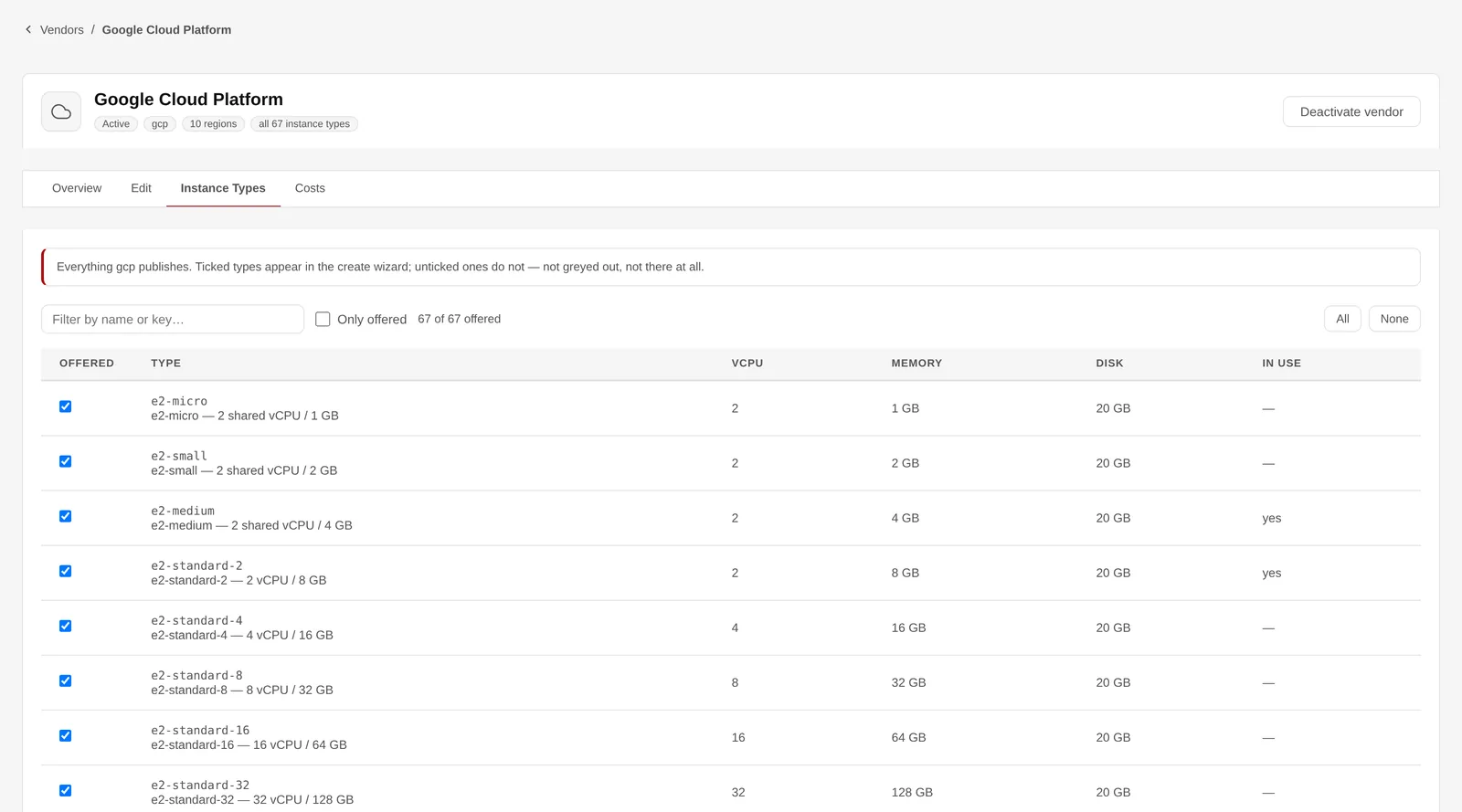
The types people may choose, per vendor.
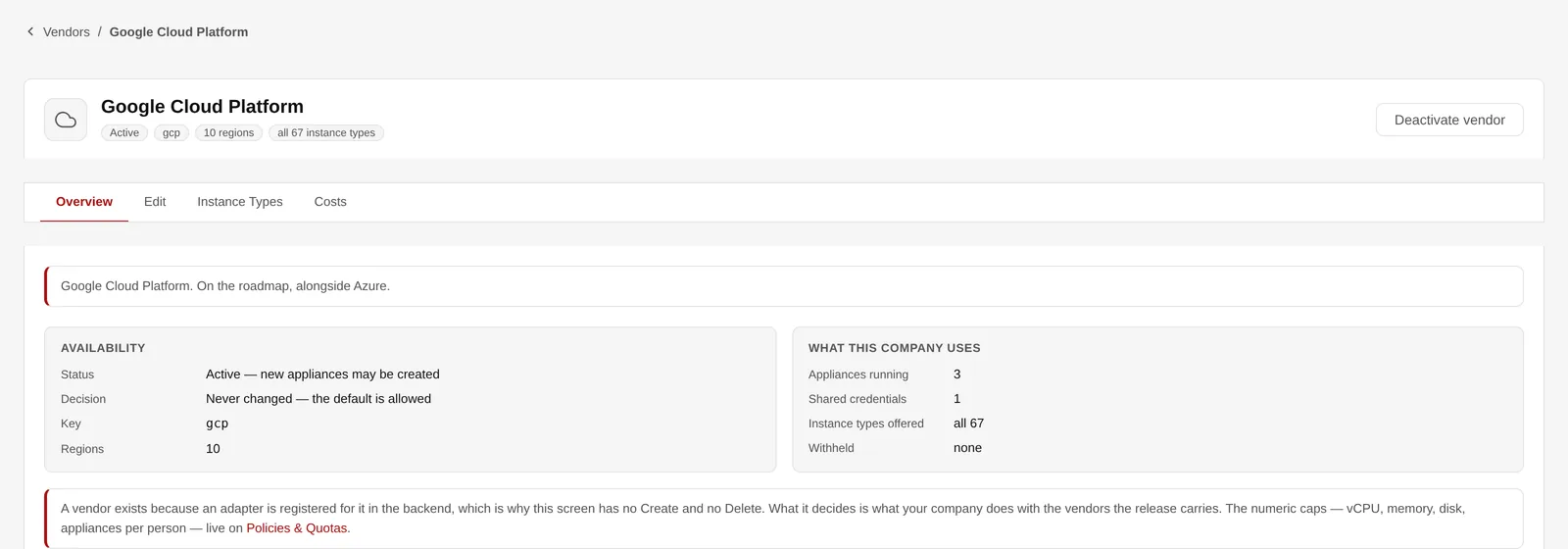
What your company uses on one cloud.
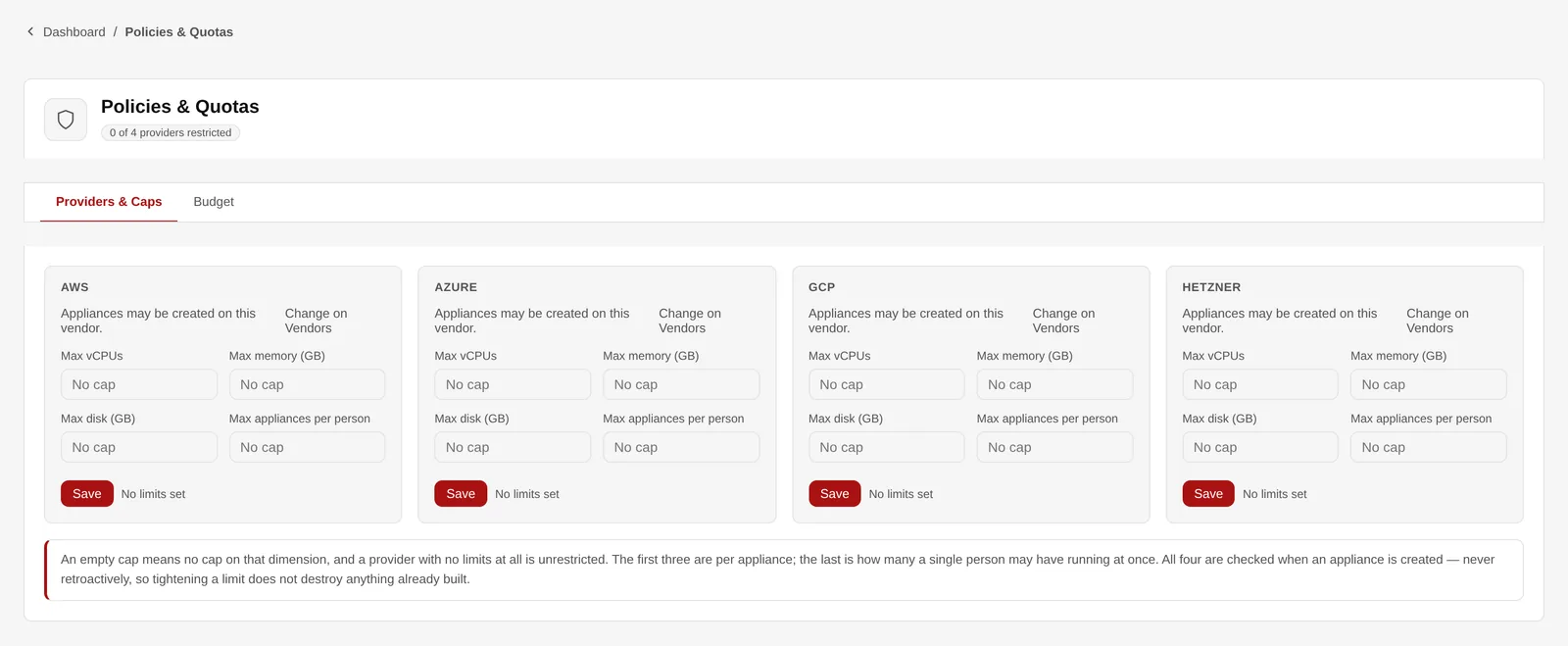
Caps per appliance and per person, for each cloud.
The run rate of the whole fleet, an itemised estimate per appliance, and a spend analysis over what actually ran — including machines that were destroyed along the way.
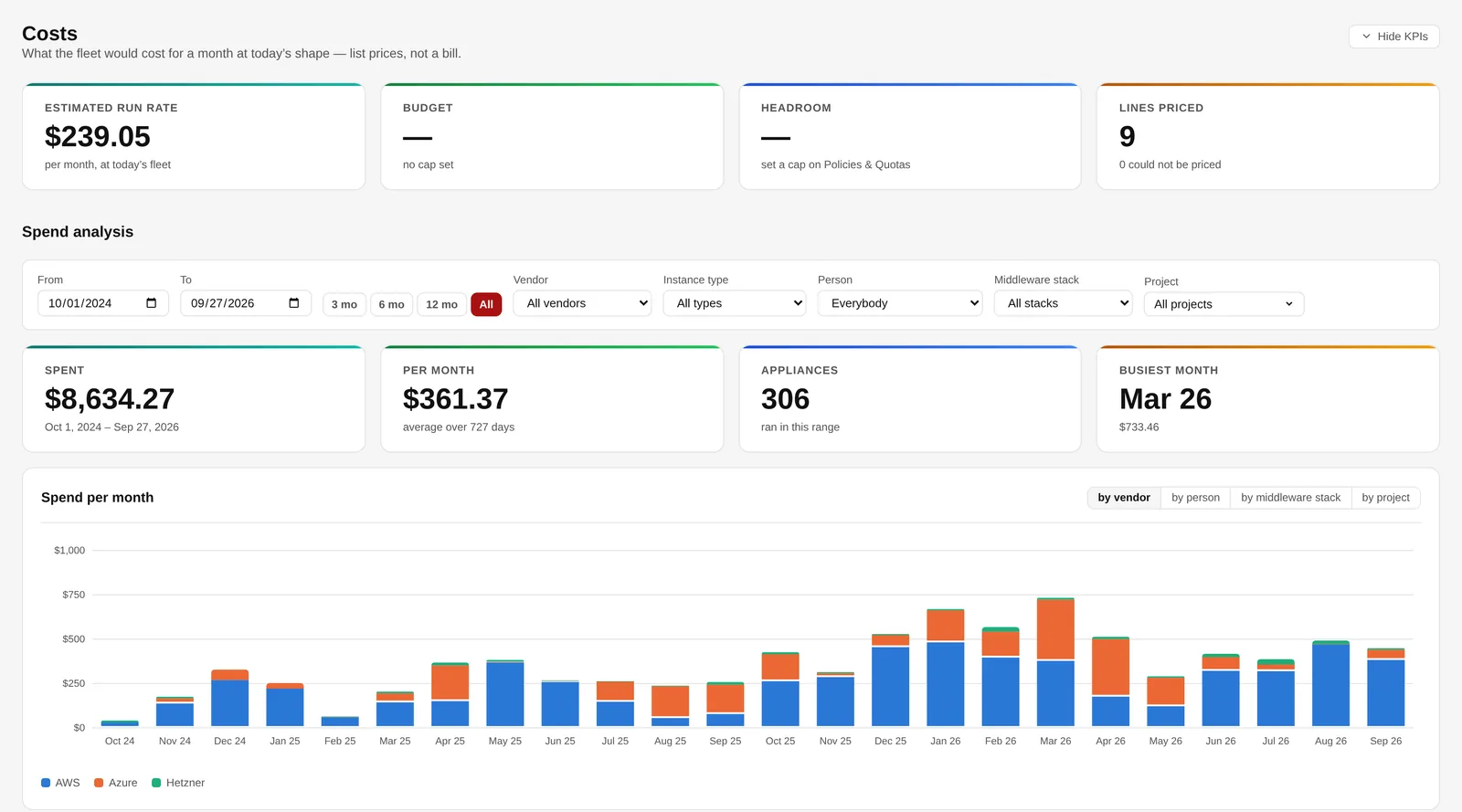
Run rate, budget and spend by vendor.
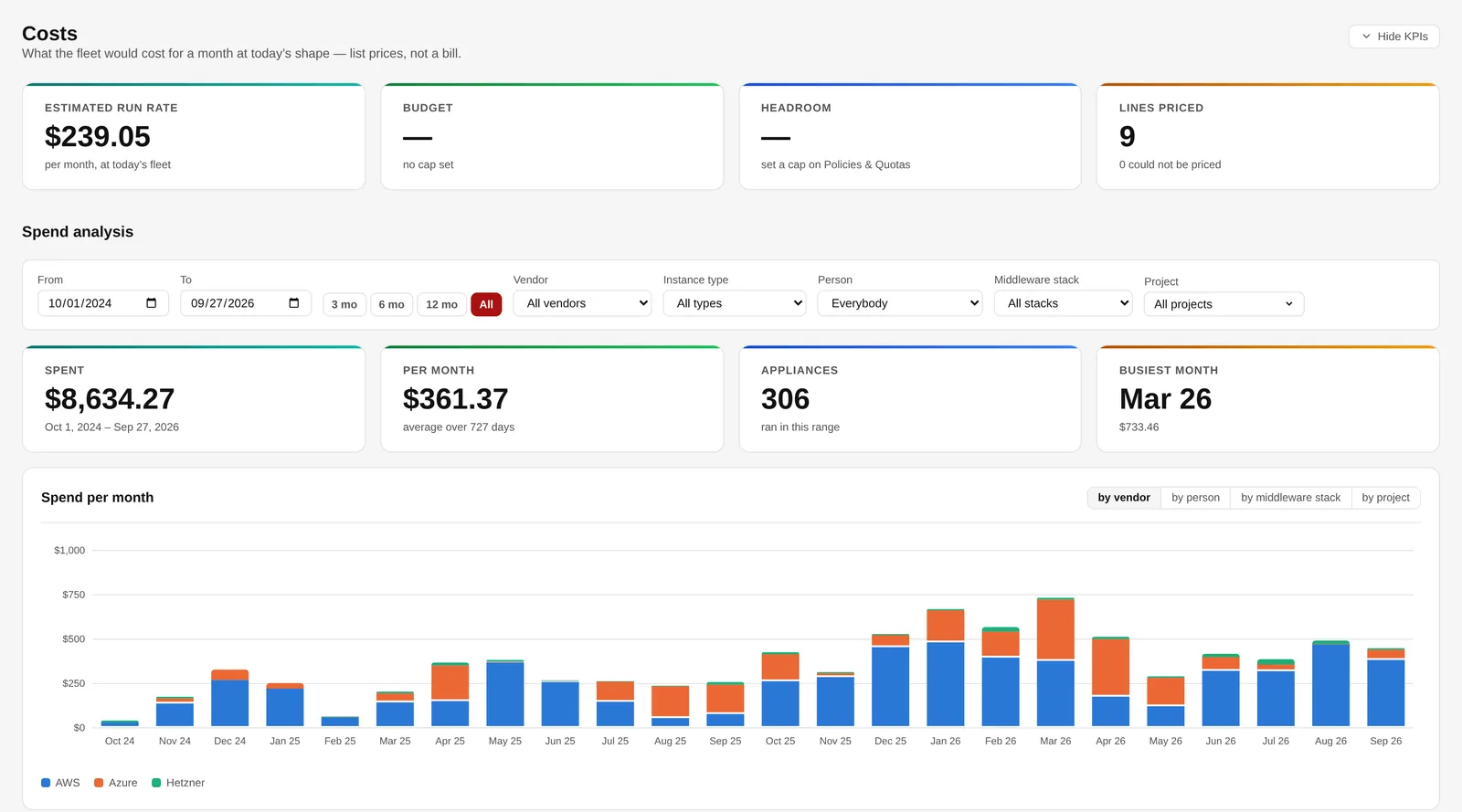
The same spend, split by project.
Seven built-in roles from Administrator to Auditor, plus roles you define yourself, over more than ninety fine-grained rights. Every change to a role shows a diff before it is saved.
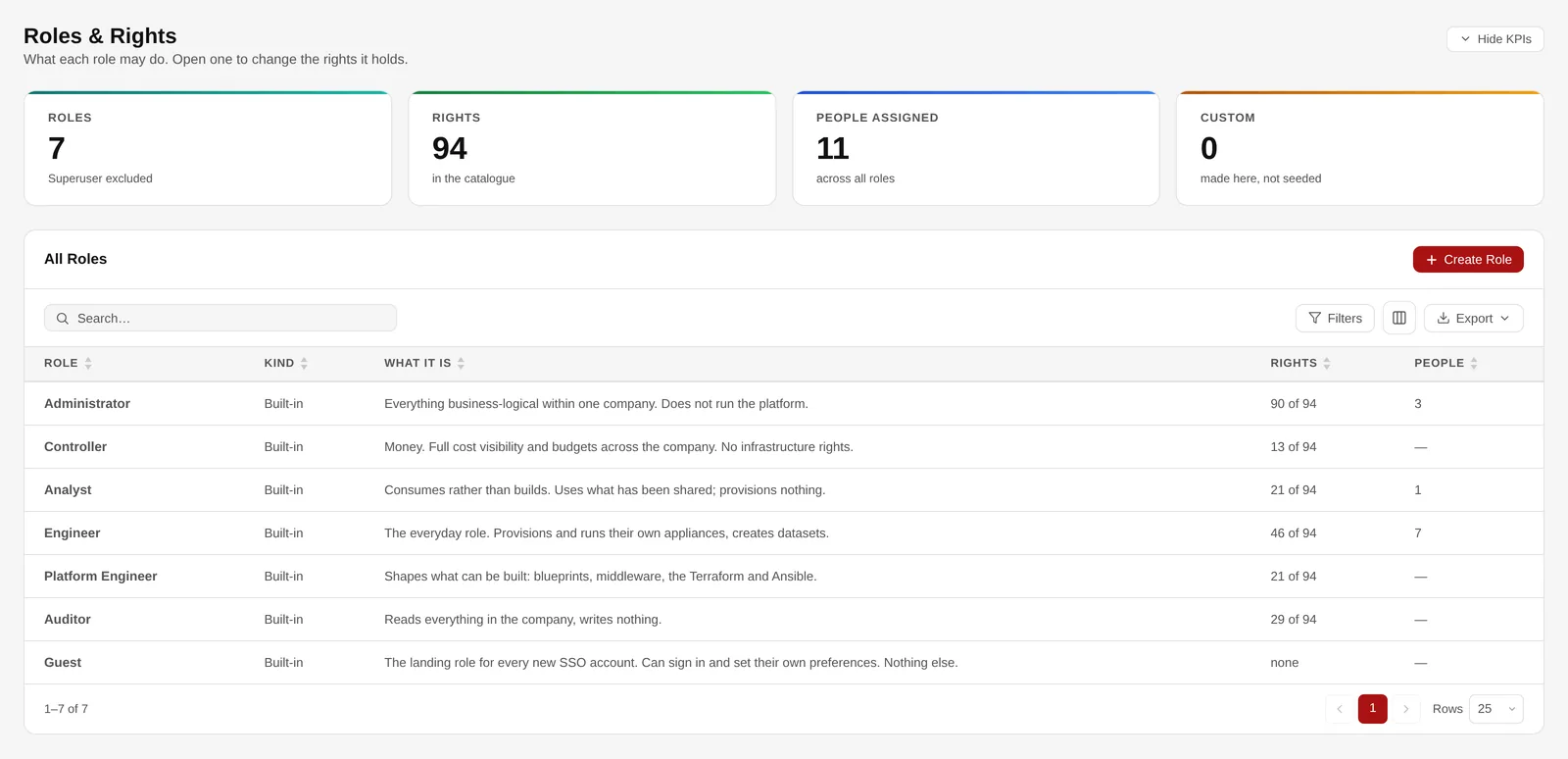
Seven built-in roles, and your own.
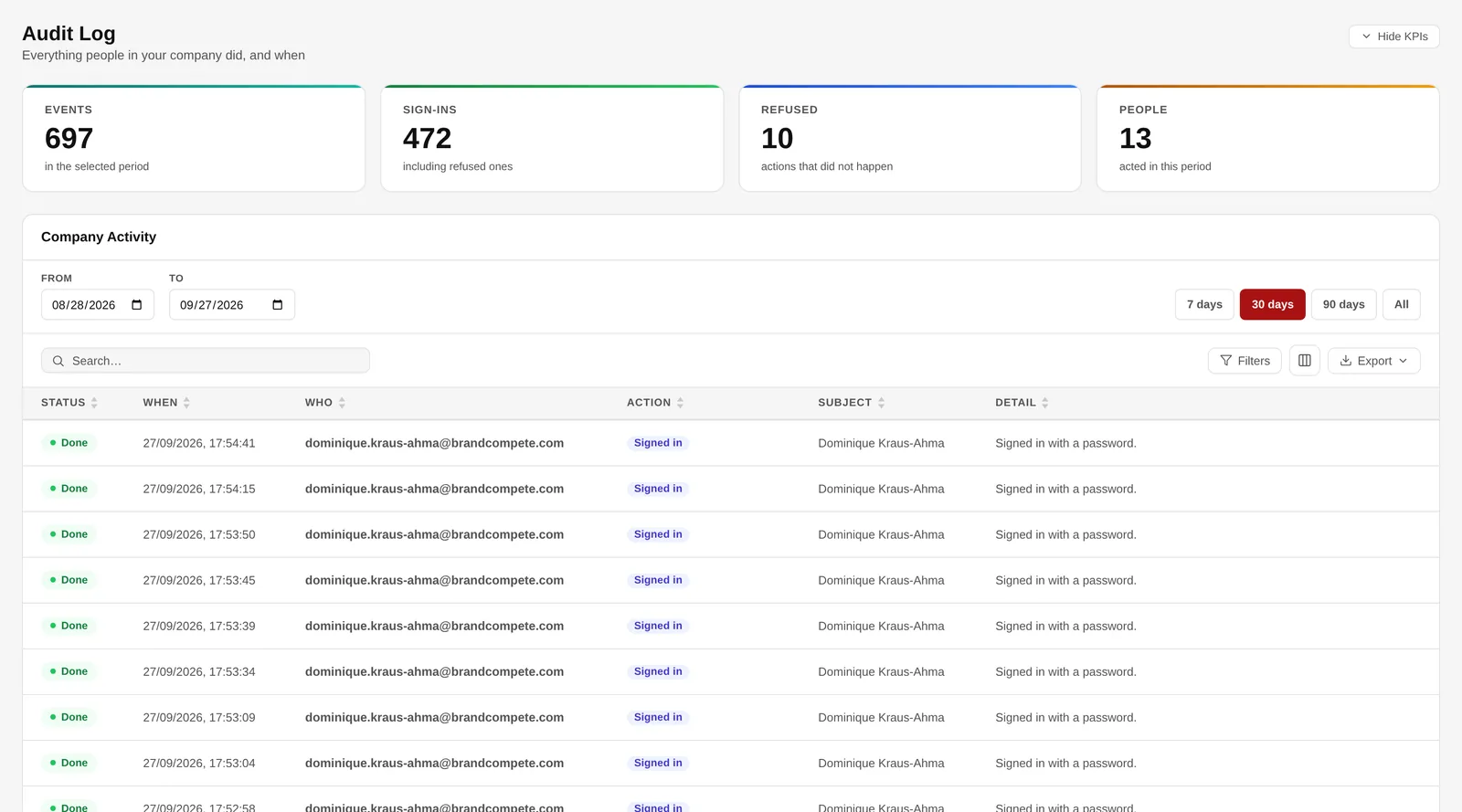
Every event, searchable and exportable.
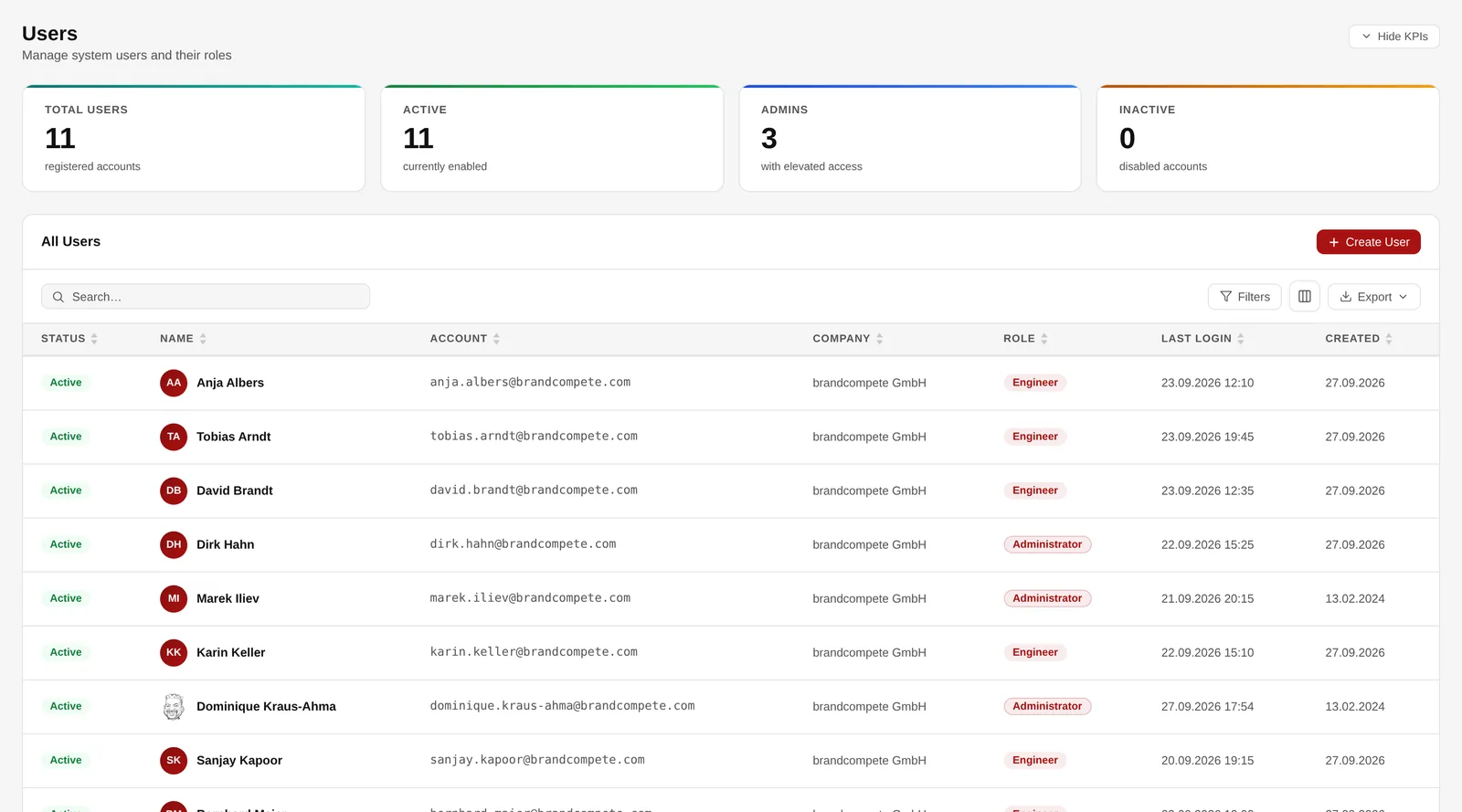
People, their role and when they last signed in.
Mason is the assistant in the Tools panel. Describe what you need — a Jupyter box for the churn analysis, a small Postgres for Thursday’s demo — and it looks up what you may use, proposes an appliance and builds it once you say so.
It acts as you, not as a robot: every lookup and every action carries your own token, so your policies, quotas, budget and audit trail apply exactly as in the wizard.
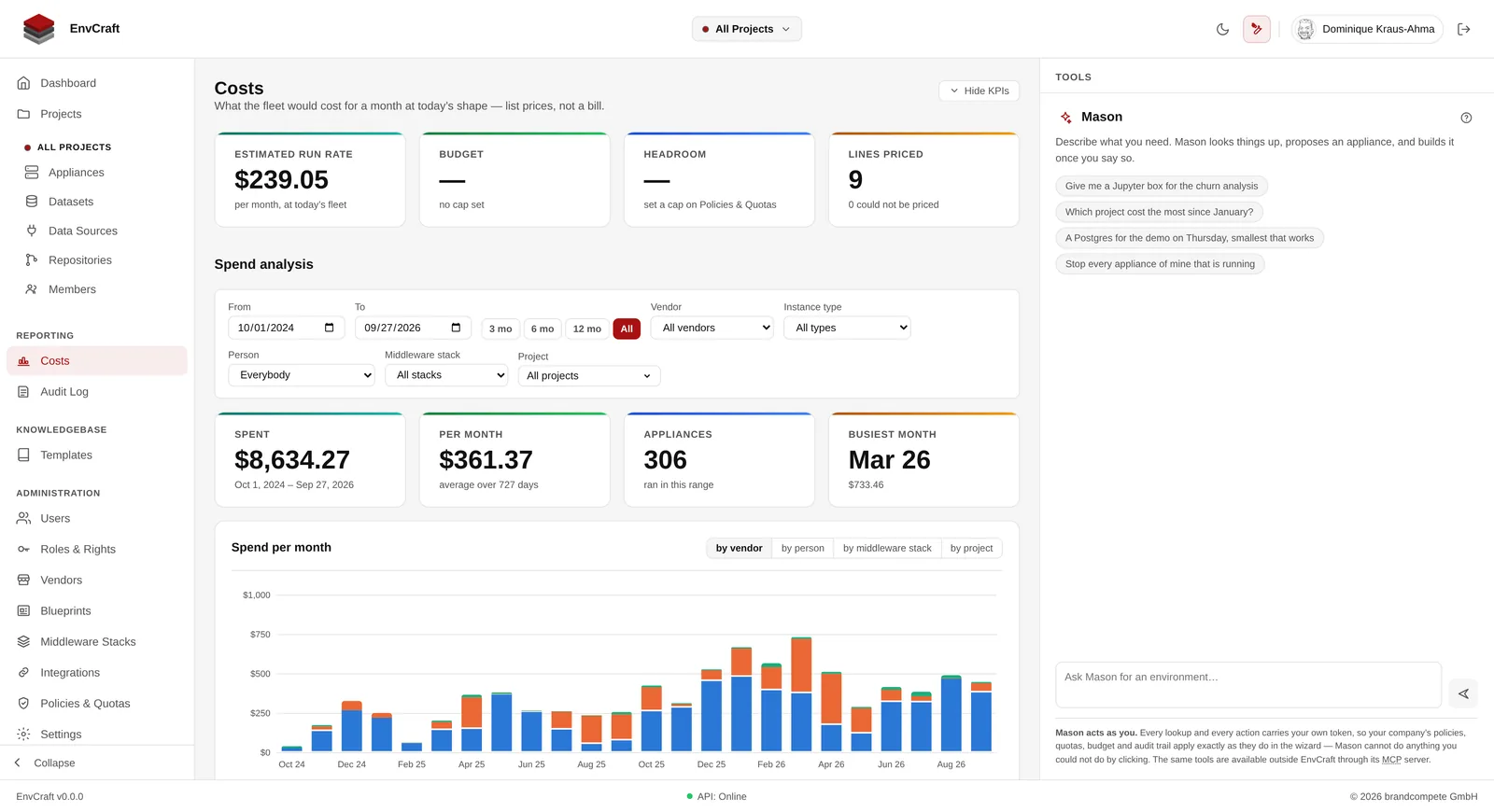
Mason — your rights, never more.
Integrations are your organisation’s own tooling, connected once for the whole company. GitHub works today: its token is tested before it is saved, encrypted and never returned.
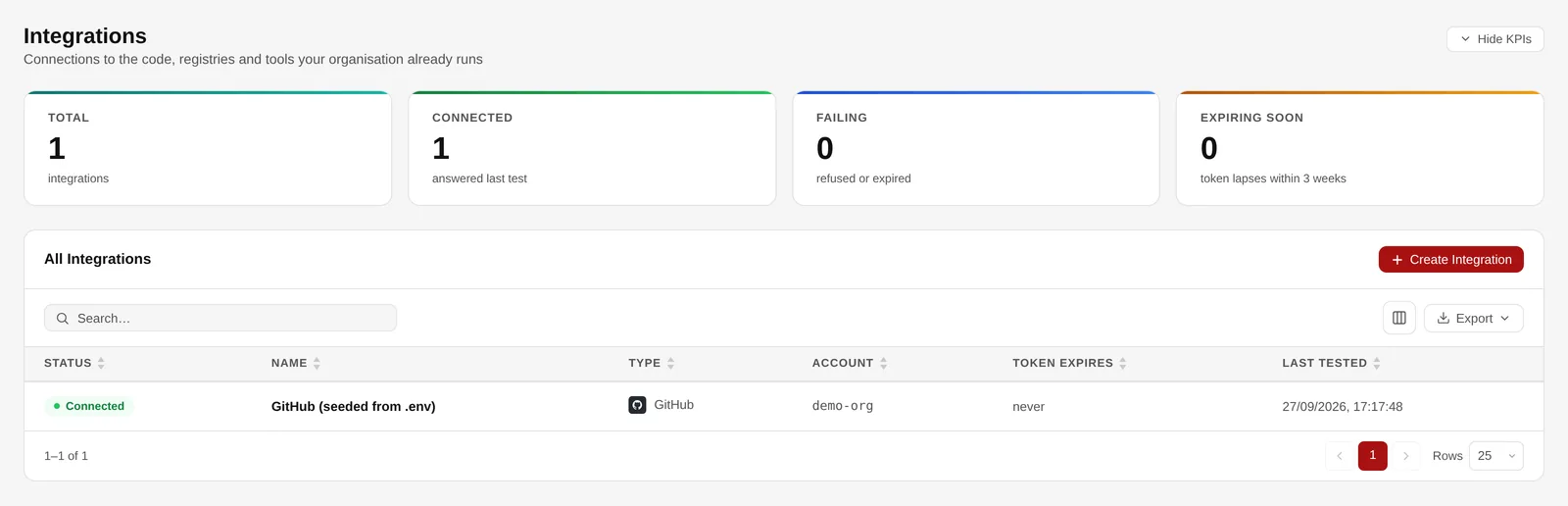
Connected integrations and their token status.
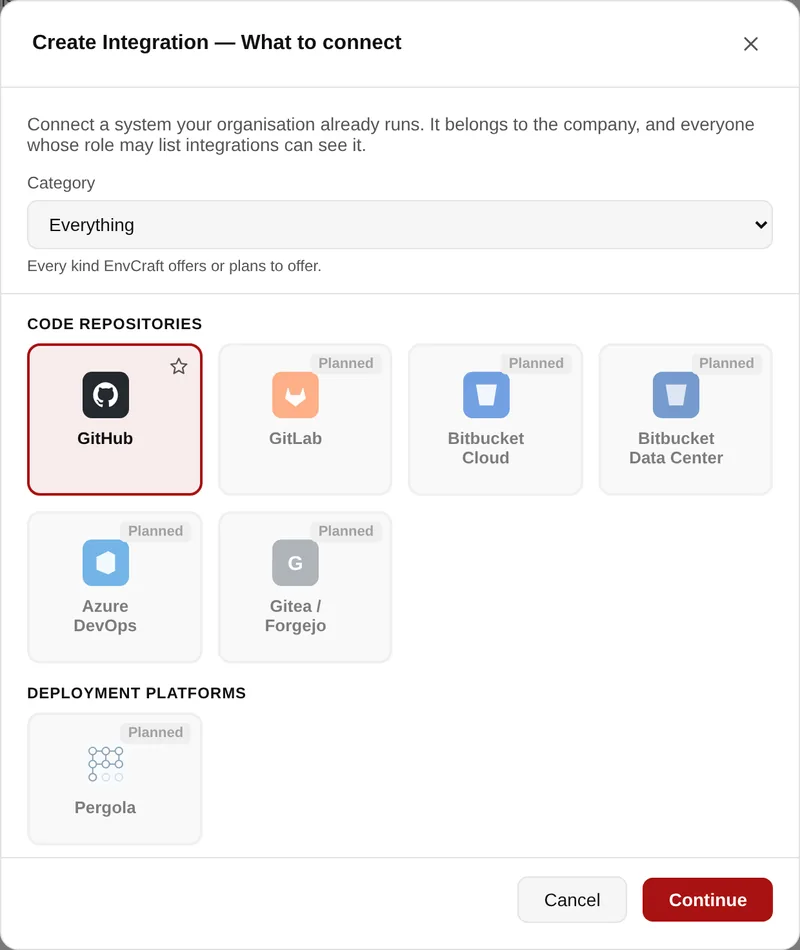
What can be connected, and what is planned.
A blueprint bundles appliances, datasets and data-source connections: published once, deployed by anyone in one action. A new analyst’s complete first morning; a customer demo stand that is gone the same evening; a training room with twelve identical seats.
This one is a concept, and so is a company’s own stack catalogue on the Middleware Stacks screen. We are shaping both with customers — your use case is welcome.
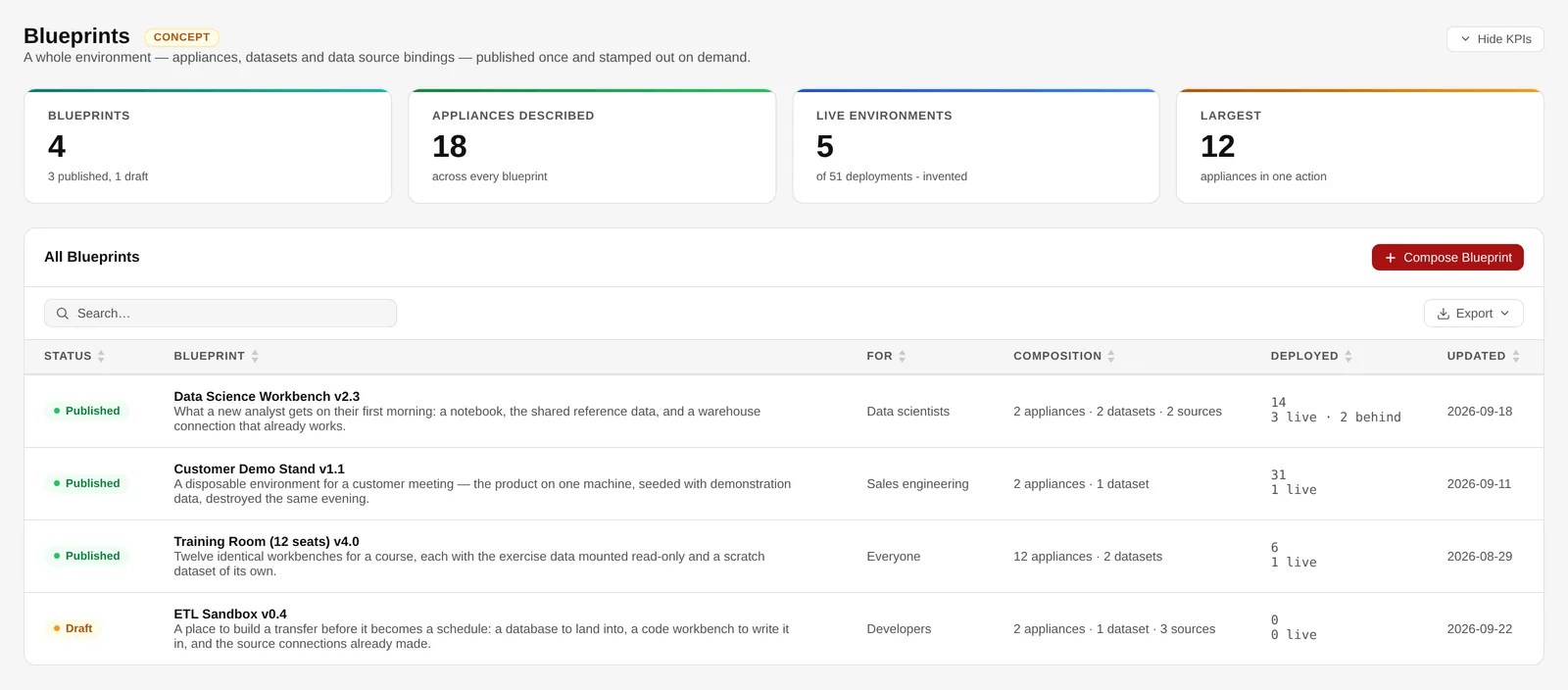
Blueprints — a concept, shown as a concept.
One platform, three winners
Security & architecture
A Next.js front end, a Spring Boot API, PostgreSQL for tenants and the audit trail, and plain Terraform and Ansible underneath — readable, versioned, and yours.
Microsoft Entra ID and Google, restricted to the directories and email domains you name. A directory that is not on the list fails closed.
Cloud keys and integration tokens encrypted at rest with AES-256-GCM. A stored secret is never returned to a browser, not even to the person who saved it.
Every company sees only its own people and resources, and somebody else’s appliance is not merely forbidden — the API does not confirm that it exists.
An action needs the right in the person’s role and the level in the project. Removing a member reaches their running machines.
An appliance reaches exactly the datasets it mounts. A read-only grant is read-only on the machine as well as in the browser.
The browser terminal signs each session for five minutes and names the person in it. No shared keys, nothing to revoke.
Daily security updates without surprise reboots, fail2ban on SSH, a sign-in banner, and only SSH, 80 and 443 facing out.
Code is fetched by EnvCraft with the company’s token and copied onto the machine; the token itself never reaches it.
Terraform modules and Ansible playbooks your team can read and run without EnvCraft in the room.
Every stack’s licences are listed in the Knowledgebase with what they permit and require. Nothing is offered over the network under AGPL — one stack, R + Shiny, is under review.
Mason and the MCP server act with the signed-in person’s own token. No service account, no rights of their own, every action in the audit trail.
Sign-ins, provisioning, sharing, terminal sessions and refused actions, append-only and exportable.
Deployment
Both run inside your infrastructure. The difference is who operates it.
Pricing depends on the model and the size of the installation — ask us for a figure. Cloud resources themselves are billed by your provider, to your own account.
Roadmap
What is true today, what is next, and what is further out — said plainly, so a pilot is planned on facts.
Available today
Next
Later
Pilot offer
One team, real projects, real guardrails — and a decision based on evidence after a few weeks rather than on a demo.
EnvCraft in your cloud account, connected to your single sign-on, carrying your policies and budgets.
One data science team works on real projects with real data — and real guardrails.
A usage, cost and governance report, and a roll-out plan if you want to go further.
Questions
EnvCraft is a platform for self-service cloud environments. A data scientist or developer picks a cloud, a software stack and a machine size; EnvCraft checks the request against the company's policies, quotas and budgets, builds the machine with Terraform, installs the software with Ansible, mounts the datasets and records every step. What normally takes a ticket and several weeks takes minutes, and it stays inside the rules the company has set.
Amazon Web Services, Microsoft Azure, Google Cloud and Hetzner Cloud are supported today. STACKIT, gridscale and on-premise clouds such as OpenStack are on the roadmap. Each company decides which clouds its people may use, with which credentials and which instance types. A cloud is treated as an endpoint plus credentials rather than a hard-coded vendor name, so a private cloud with a Terraform provider fits the same model.
In yours. EnvCraft provisions into your own cloud accounts with your own credentials, which are encrypted at rest with AES-256-GCM. There are two ways to run the platform itself: as a managed service that brandcompete operates inside your infrastructure, or as an on-premise licence your own platform team runs. In both cases your data and your cloud accounts stay under your control.
Thirty-eight stacks are ready to use, each built and tested on a real machine. They range from a minimal Rocky Linux base through notebooks and machine learning (JupyterLab, a Data Science notebook, R, scikit-learn, TensorFlow and PyTorch on CPU, MLflow, Spark), databases (PostgreSQL with pgAdmin, SQL Server Express and Oracle Database Free with CloudBeaver, DuckDB), BI and apps (Superset, Streamlit, Dash, Chainlit, Airflow, Node-RED, Baserow, Appsmith) to developer and operations tools (VS Code in the browser, a container host, Node, Flask, a JVM workspace, a GitHub Actions runner, Traefik, observability, BookStack and MediaWiki). Thirty-one of them publish a web interface that opens in one click, with the sign-in generated for you. The Knowledgebase in the product lists every stack's software and licences.
Four ways. Quotas cap vCPU, memory, disk and the number of machines per person, and are checked before anything reaches a cloud. Budgets set a monthly ceiling per company or per person that either warns or refuses a new machine. Power schedules start and stop a machine at set times, say weekdays from seven to seven, so nobody pays for a notebook server overnight; on AWS, Azure and Google Cloud a stopped machine is billed only for its storage and address. And the Costs screen shows the fleet run rate, an itemised estimate per appliance and a spend analysis over any period, filtered and split by vendor, instance type, person, stack or project, including machines that have already been destroyed. The figures are estimates from the providers' public rate cards rather than a reading of your bill; billing data straight from the vendor is on the roadmap.
In projects. Everyone has a personal workspace, and a project adds colleagues at Read, Write or Admin: Read sees what is in it, Write uses and changes it and mounts its datasets read/write, Admin removes things and manages the members. Every appliance, dataset, data source and repository belongs to exactly one project, the switcher in the header narrows every list to it, and the Costs screen shows what each project has spent. Where the installation has a public zone, an appliance is also published under its project's address with a real certificate. A GitHub repository registered in a project can be deployed straight onto a new web server by anyone with Write.
Sign-in is by single sign-on with Microsoft Entra ID or Google, restricted to the directories and email domains you name, or by password. Seven built-in roles from Administrator to Auditor can be extended with your own custom roles, over more than ninety fine-grained rights, and every change to a role shows a diff before it is saved. On top of the role, projects give each member Read, Write or Admin, and an action needs both. Each company sees only its own people and resources, and somebody else's environment is not merely forbidden but invisible. The audit trail records sign-ins, provisioning, sharing, terminal sessions and refused actions, and exports to CSV, Excel or PDF.
Mason is the assistant built into EnvCraft. You describe what you need, such as a Jupyter box for the churn analysis or what your team is spending on AWS this month, and it looks things up, proposes an appliance and builds it once you say so. It cannot break your rules, because it has no rights of its own: every lookup and every action carries the signed-in person's own token, so the same policies, quotas, budget and audit trail apply as in the wizard, and an appliance it creates is yours in the audit trail. Anything that spends money, grants access or changes a setting waits for your confirmation, and it is never given secrets, the terminal or the power to delete people. Mason runs on Anthropic's Claude models; the key stays on the server and never reaches a browser, using Mason is a right of its own, and an installation that must not call an external model leaves it switched off. The same tools are available to Claude Desktop, Claude Code or your own client through EnvCraft's MCP server.
No. Environments are built with plain Terraform modules and Ansible playbooks that your team can read, run and version, in your own cloud accounts. What EnvCraft installs is open source, with three exceptions that are free of charge under their vendors' terms: SQL Server Express, Oracle Database Free and the Netdata dashboard in the observability stack. Every stack's licences are listed in the product's Knowledgebase with what they permit and require, and nothing is offered to your users over the network under the AGPL, apart from one stack still under review, R with Shiny Server.
Pricing depends on how you run it — managed service or on-premise licence — and on the size of the installation. Write to sales@brandcompete.com and we will put a figure against your case. Cloud resources themselves are billed by your provider to your own account; EnvCraft estimates them for you before and after they are created.
With a pilot. About one week to set EnvCraft up in your cloud account, connected to your single sign-on and carrying your policies and budgets; four to six weeks in which one team works on real projects with real data and real guardrails; then about a week for a usage, cost and governance report and a roll-out plan. You decide on facts rather than on a demo.
Resources
Want the sales presentation, a technical deep-dive or a live walkthrough? Write to us and we will send it.
Tell us what your teams are waiting for, and we will show you the same thing running inside your own cloud account.
Prefer email? Write to sales@brandcompete.com.